

 View Floorplans
Variant #B0080 

 Edit Assumptions


- The floor plan preview. Hover it to show View Floorplans.
- The variant number, with the Saved files folder and the Download button beside it.
- The variant’s program options, as a row of labels.
- Edit Assumptions, which opens the assumptions panel.
- The result tables, one row each.
Floorplans
Hover the floor plan preview and click View Floorplans to open the full-screen viewer. Switch between Floors and Rooms, step through the plans with the arrows, or click a thumbnail along the bottom. See Viewing floor plans for the zoom and rotate controls.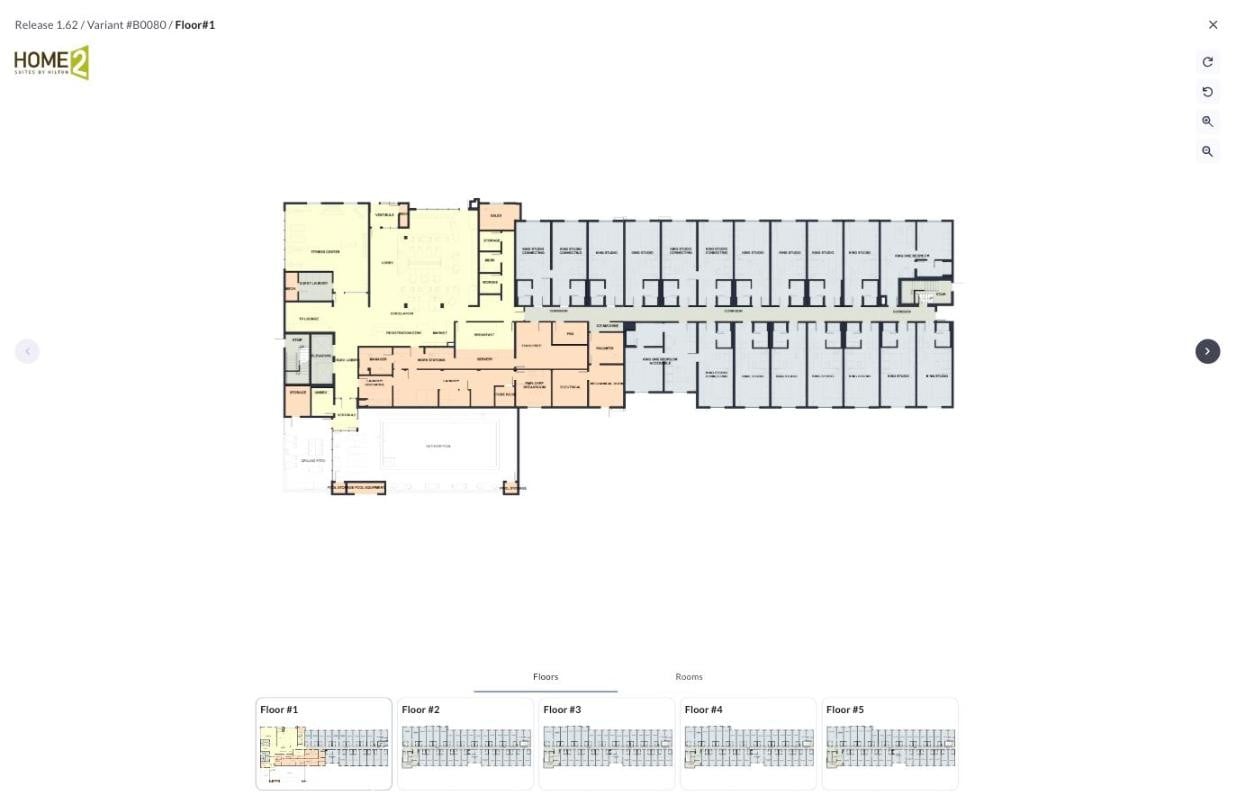
The full-screen floor plan viewer
Tables
Each row in the popup is one result table. The closed row shows the headline number, such as total keys or total budget. Click a row to open the full table. Site Summary, Building Summary, and Guestrooms open with a diagram beside the table.- Program: Site Summary, Building Summary, Guestrooms, and Building Program cover the site, the building, the room mix, and the area breakdown.
- Budget: Development Budget is computed from your assumptions and the selected variant’s geometry.
- Investment: Guestrooms Revenue, Net Operating Income, and Investment Returns cover first stabilized year revenue, NOI, and return metrics.
Program options
The labels under the variant number name the variant’s non-guestroom program: meeting space, pool, and building entrance. Click the labels to open Program Options. Click any option to switch it on or off; the ranked variant list filters to match. Turn on Prototypes Only to limit the results to the brand’s standard prototype layouts.Program Options
Prototypes Only
Board Room
Board Room 1 BayBoard Room 3 BayNo Board Room
Pool Type
Indoor PoolOutdoor Pool
Entry Type
Center-Loaded Front EntryEnd-Loaded Front Entry
Exporting a variant
Click the Download button beside the variant number to open the Export dialog. It exports the selected variant in four formats. Past exports stay in the Saved files folder next to it. See Exporting designs for what each format contains.Export

Kokomo Site
 100 Main St, Kokomo, IN
Ranked Variant #B0080
 CAD Site Plan (.dxf)Excel (.xlsx)Development Report (.pdf)Design Report (.pdf)