

Where the starting numbers come from
Every assumption arrives filled in before you touch it. The revenue and budget figures come from the brand you picked: blended ADR, blended occupancy, hard cost per gross square foot, soft cost per gross square foot, and land cost per square foot are all set per brand. Investment assumptions start from one set that is the same for every brand. Blue numbers are the ones you type. The totals Parafin works out from them show in grey. Your edits stay on that project. They don’t change the brand’s numbers or your next project, and a teammate sees them only if you share a copy.Editing assumptions from the variant popup
Open every project assumption from a single place by clicking Edit Assumptions in the variant popup. Your changes are reflected across every variant in the project, not just the selected one.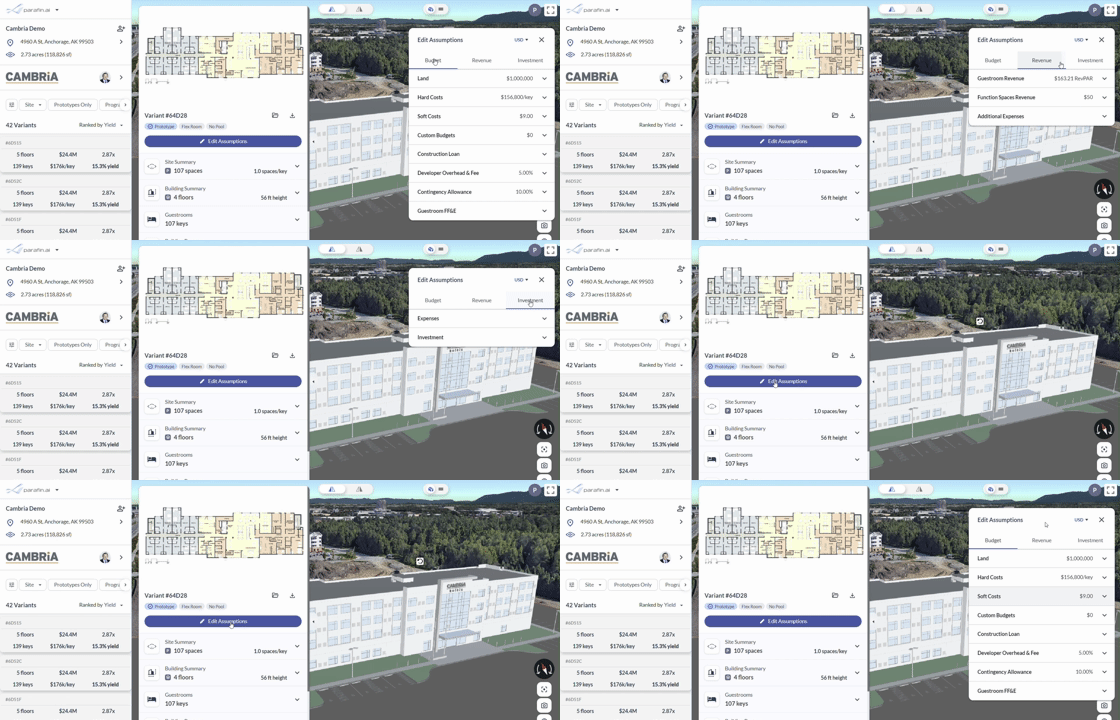
Editing project assumptions from the variant popup
Budget
Enter land acquisition, hard costs, soft costs, FF&E, developer overhead, and project contingency. Line items Parafin doesn’t break out separately (OS&E, IT, pre-opening) go into soft costs. Developer overhead and contingency are entered as percentages of the total budget. Edit AssumptionsUSD
BudgetRevenueInvestment
Land$3,500,000
Hard Costs$200/gsf
Soft Costs$30.00/gsf
Custom Budgets$0
Construction Loan
Developer Overhead & Fee4.00%
Contingency Allowance5.00%
Guestroom FF&E
Revenue
Set stabilized-year revenue for guestrooms, meeting rooms, and food & beverage. For each room type, enter ADR and occupancy. The Food & Beverage Revenue row appears only for brands with a food and beverage area.Edit AssumptionsUSDBudgetRevenueInvestment
Guestroom Revenue$118.80 RevPAR
Function Spaces Revenue$100/sf
Food & Beverage Revenue$100/sf
Custom Revenue
Investment
Set NOI margin, disposition, and financing. Construction loan interest is included in the project budget. The sale date assumes the first hypothetical stabilized year.Edit AssumptionsUSDBudgetRevenueInvestment
Net Operating Income45.0%
Investment