
Parafin generates thousands of candidate designs per site. Filters narrow the set and sort controls surface the best options for the metrics that matter to you.

Filters in the Project Panel

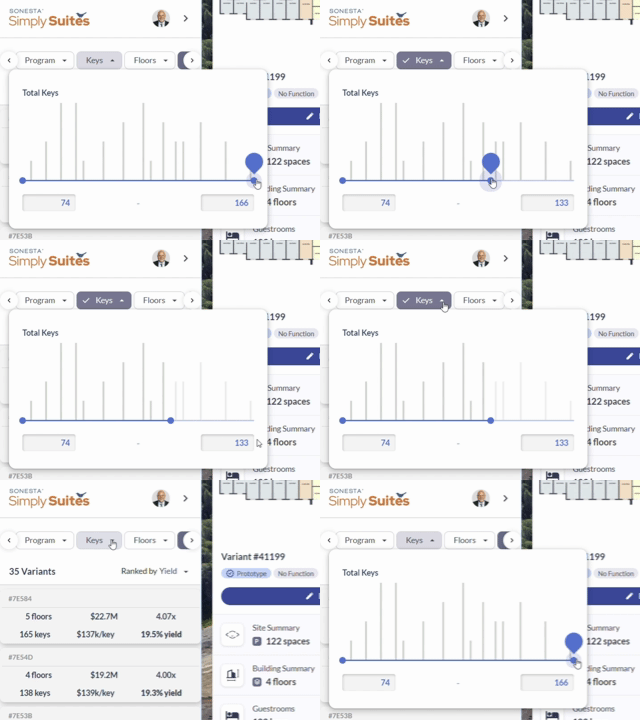
Every filter is accessible directly in the Project Panel — no switching screens to adjust a constraint.
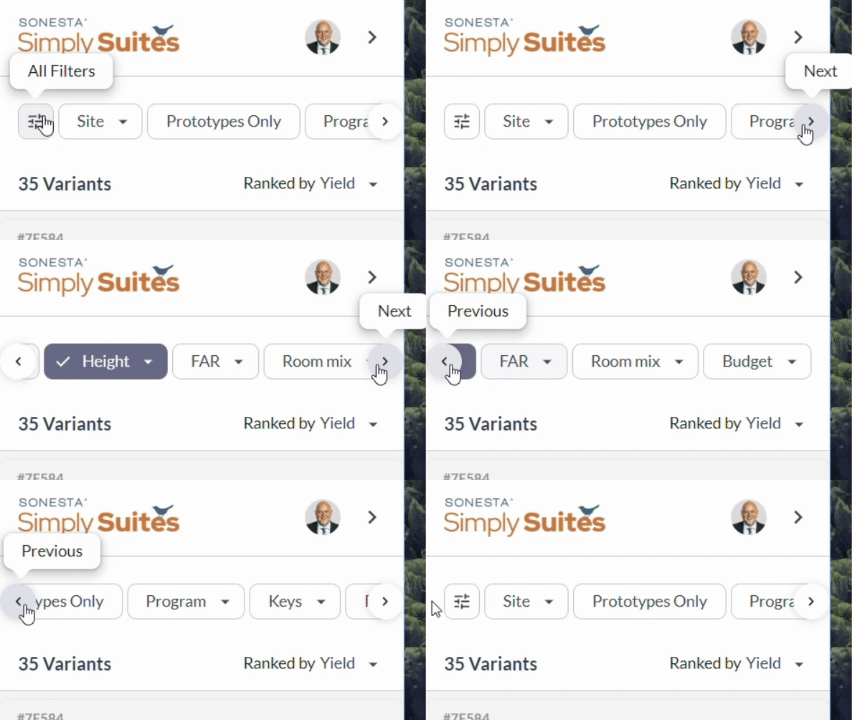
All filters available inside the Project Panel
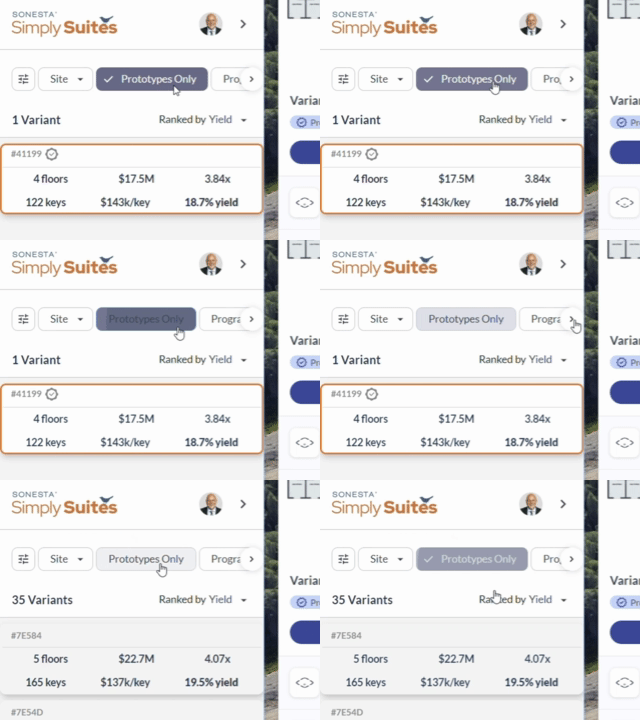
Toggle any filter on and off with a single click.
Toggling filters on and off in the panel
Adjust filter values in place without opening a separate dialog.
Adjusting filter values directly in the Project Panel
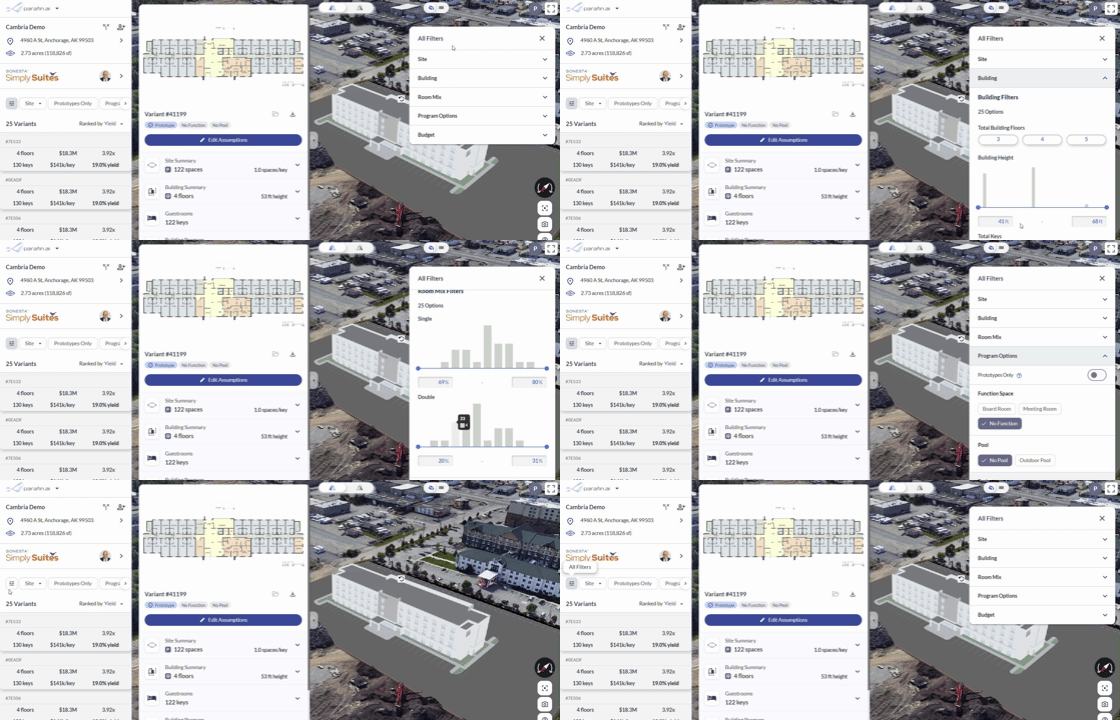
Or open the side panel to edit every filter at once.
Editing all filters at once from the side panel

What you can filter on

  • FAR
  • Building height
  • Number of keys
  • Room mix
  • Program elements
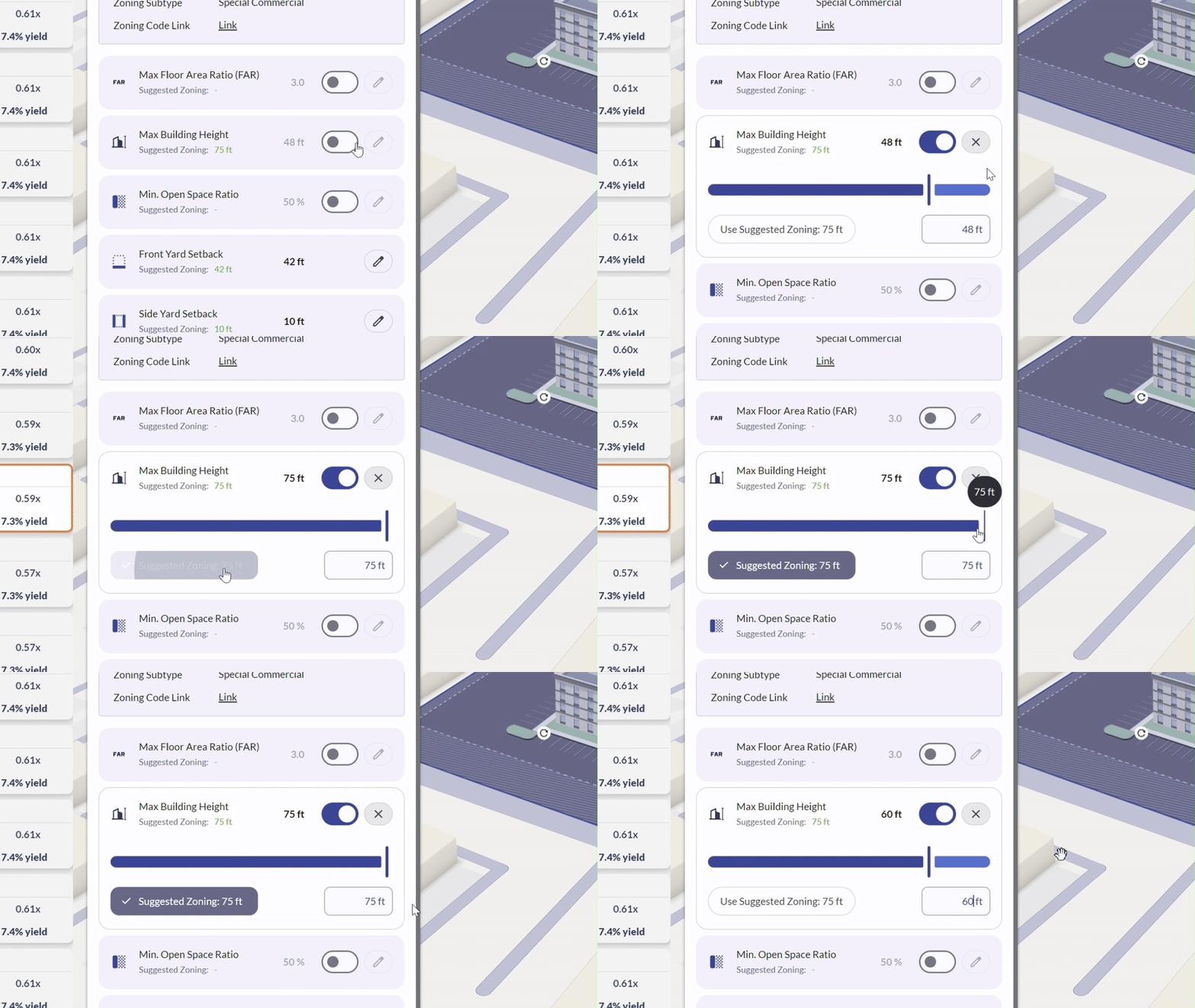
When zoning data is available for your site, Parafin also suggests zoning-derived values for FAR, maximum building height, and minimum open space. Apply any of them as-is or override with your own value — see the Zoning Panel tutorial for how the zoning filters work.
Toggling and applying zoning filters in the panel

Sorting designs

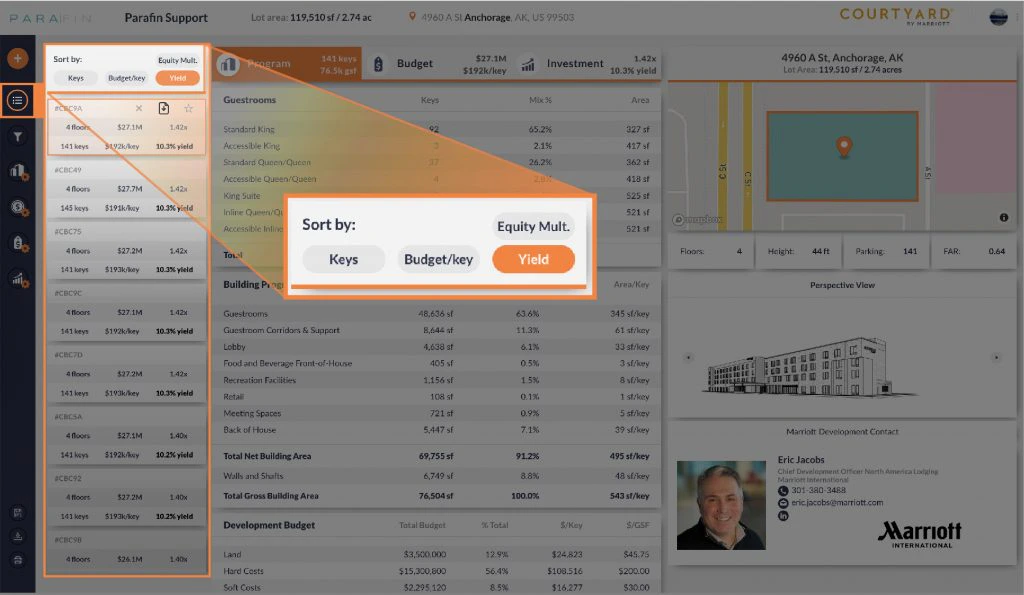
Sort the design list by any financial metric:
  • Number of keys
  • Budget per key
  • Equity multiple
  • Yield
Sort controls and sorted design list

Star and hide

Click the star icon on any design to pin it to the top of the list regardless of sort. Click the X to hide a design from the list entirely.