> ## Documentation Index
> Fetch the complete documentation index at: https://help.parafin.ai/llms.txt
> Use this file to discover all available pages before exploring further.
# Setbacks and adjacency
> Set required setbacks and adjacency rules for each side of your site from the project dashboard.
{/* Review on staging: toolbar, side panel buttons, setback fields may have changed */}
Configure setback distances and adjacency rules from the project dashboard after creating your project. Each side of the site is labeled independently, and the map outline updates in real time as you adjust values.
## Opening the Setbacks panel
Open the **Setbacks** panel from either entry point:
* The **setbacks button** in the top toolbar
* Clicking anywhere in the **project information side panel**
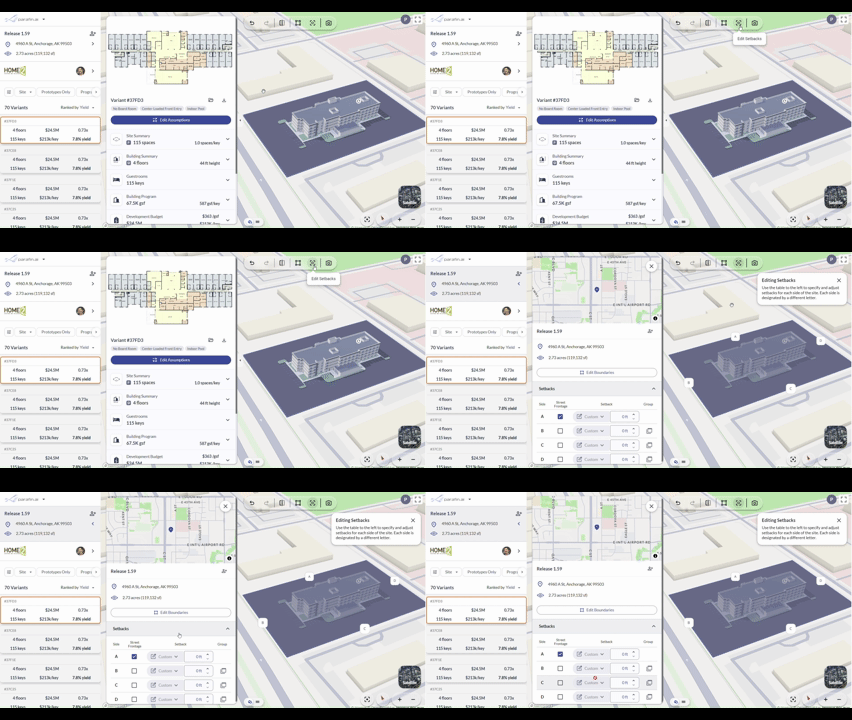 You can also reach the panel from the project information area on the left side of the screen.
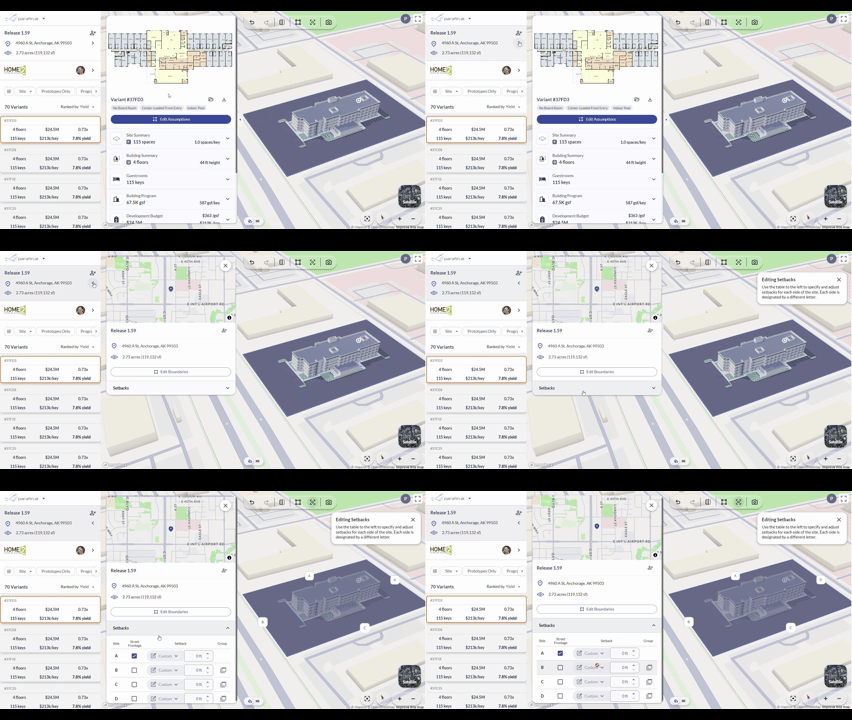 Both entry points open the same Setbacks panel.
## Adjusting setback distances
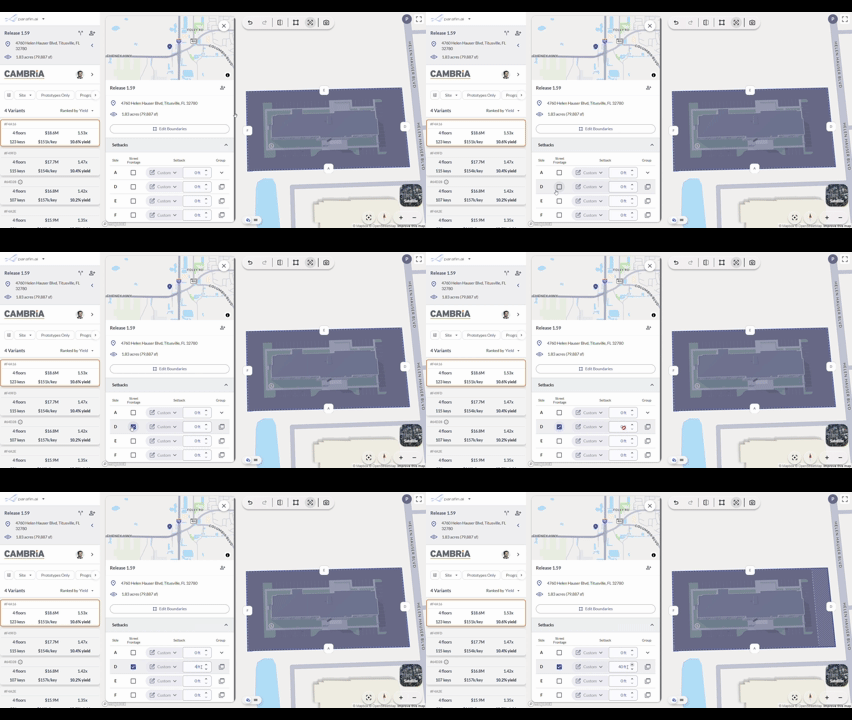
Adjust individual setback distances inside the panel. Changes apply to the site footprint in the viewer in real time.
Both entry points open the same Setbacks panel.
## Adjusting setback distances
Adjust individual setback distances inside the panel. Changes apply to the site footprint in the viewer in real time.
 ## Simplifying complex parcels
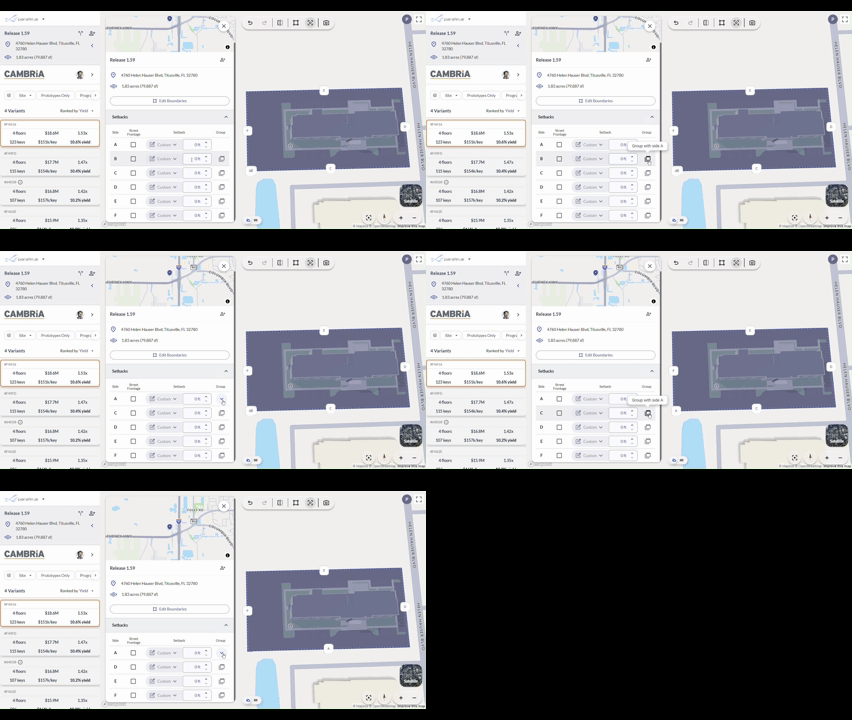
County parcel geometry sometimes produces more sides than you need. Group adjacent sides together to reduce the number of distinct setback labels.
## Simplifying complex parcels
County parcel geometry sometimes produces more sides than you need. Group adjacent sides together to reduce the number of distinct setback labels.
 ## Using zoning-suggested setback values
When zoning data is available for your site, Parafin displays suggested zoning values for front, side, and rear setbacks. Apply them as-is or adjust using the slider or text field. The site footprint updates in real time.
## Using zoning-suggested setback values
When zoning data is available for your site, Parafin displays suggested zoning values for front, side, and rear setbacks. Apply them as-is or adjust using the slider or text field. The site footprint updates in real time.
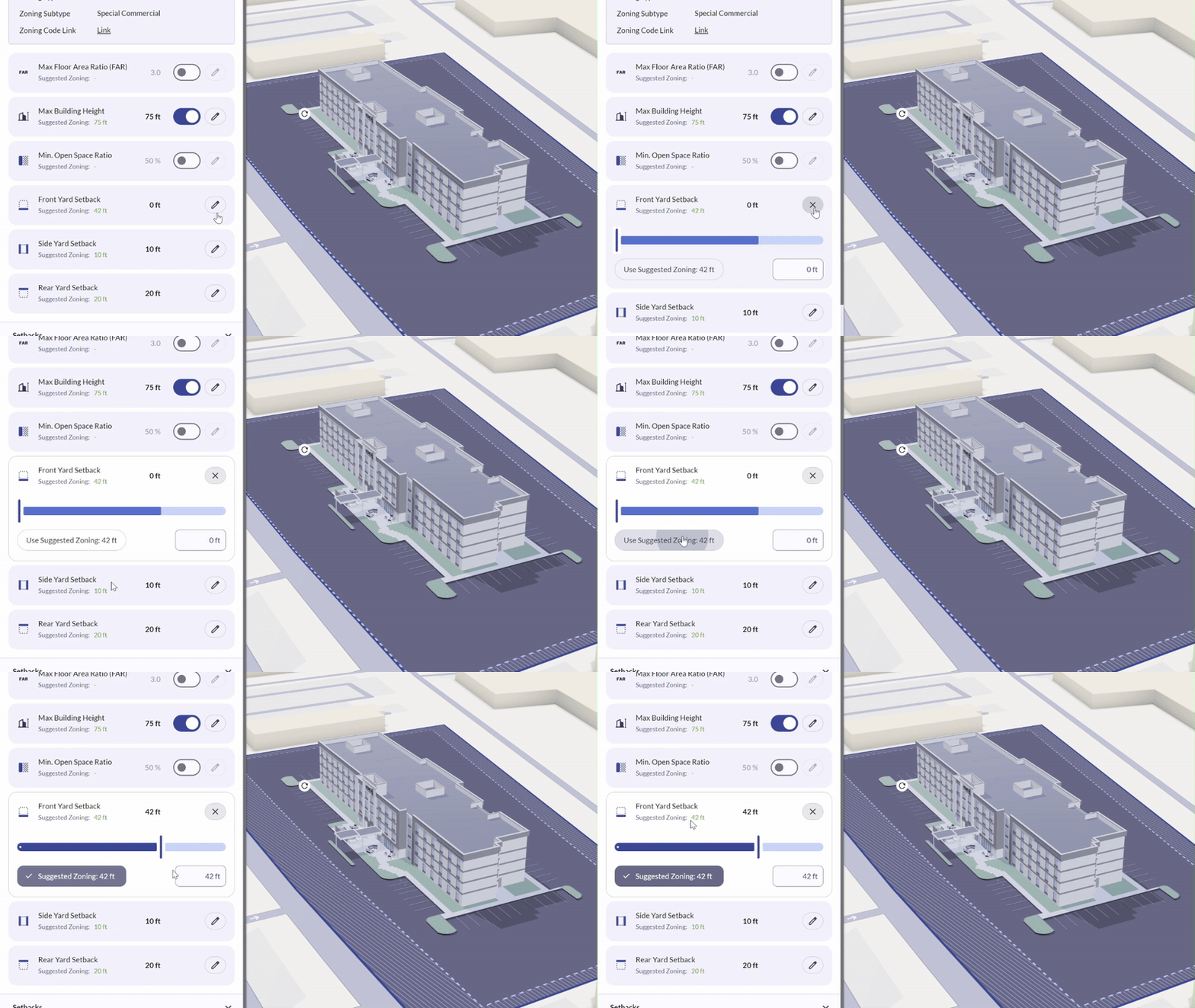 Assign each labeled boundary to a front, rear, or side yard. Parafin applies the matching zoning setback value to each designated edge.
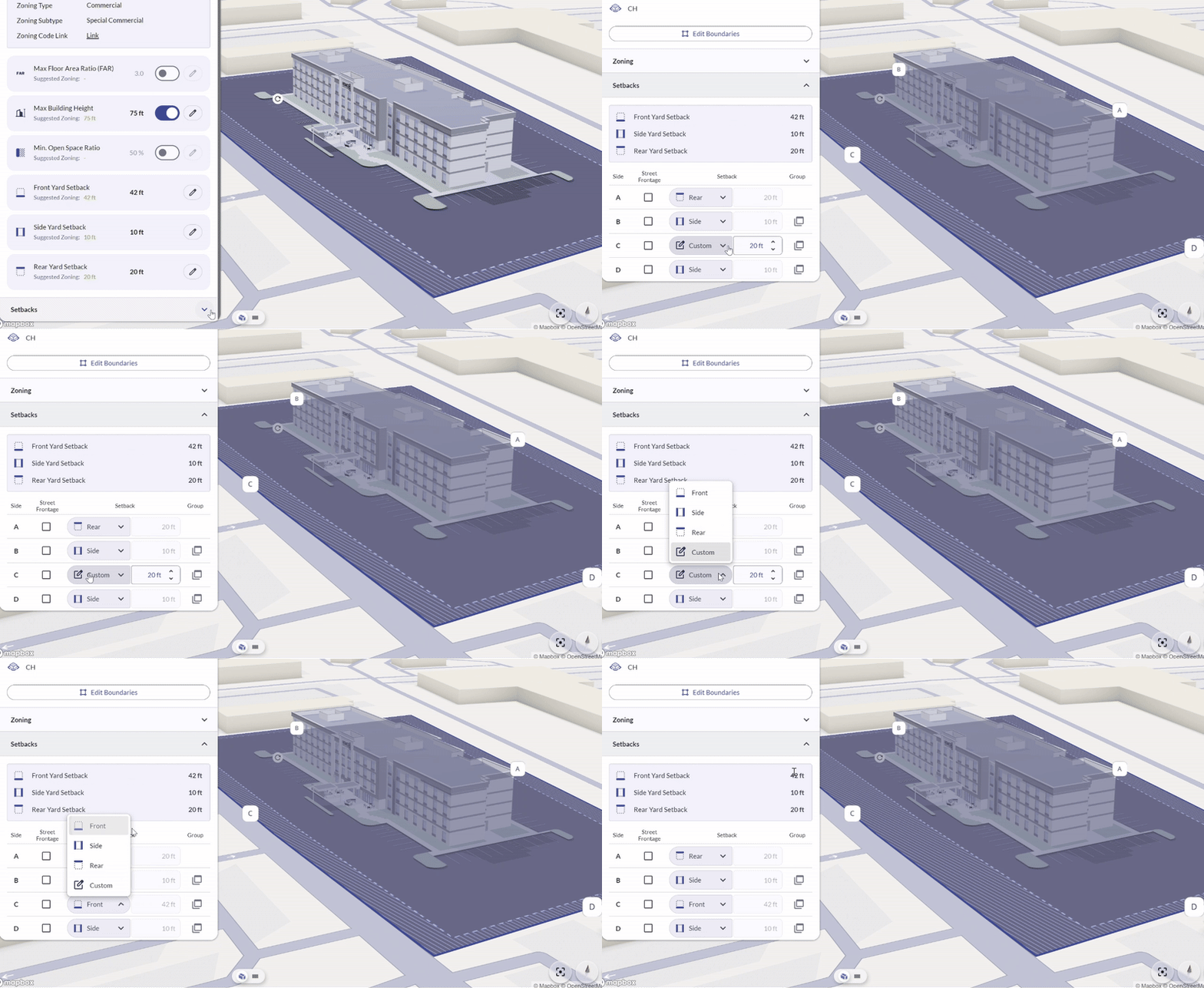 Once all sides are assigned, Parafin applies the correct zoning setback distance to each edge automatically.
For more on zoning data, see the [Zoning Panel tutorial](/tutorials/zoning-panel).
Once all sides are assigned, Parafin applies the correct zoning setback distance to each edge automatically.
For more on zoning data, see the [Zoning Panel tutorial](/tutorials/zoning-panel).