> ## Documentation Index
> Fetch the complete documentation index at: https://help.parafin.ai/llms.txt
> Use this file to discover all available pages before exploring further.
# No results
> Understand why Parafin returned no designs and what to adjust.
{/* Jira source: PAR-3064 (No results Information surface) */}
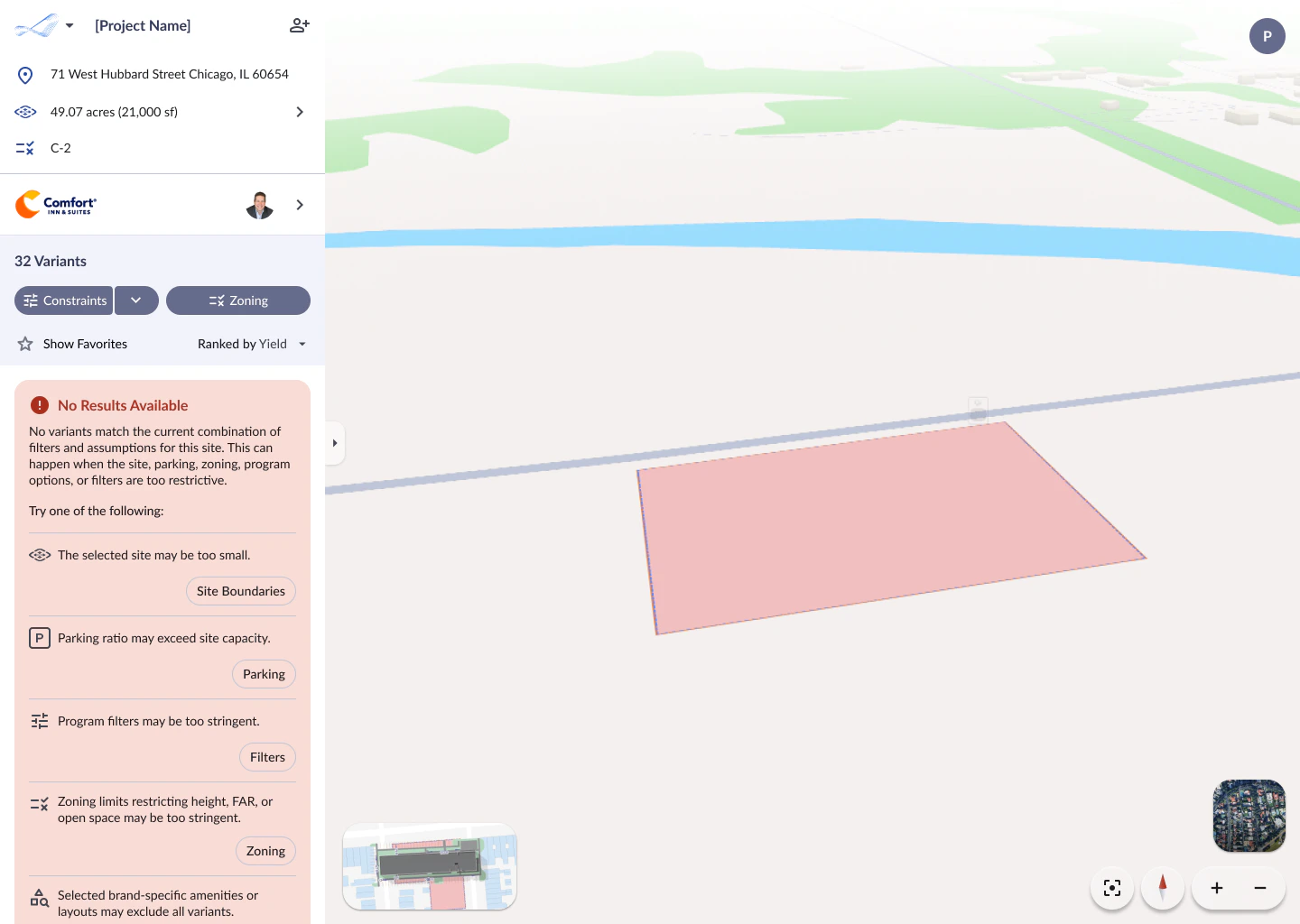
When Parafin cannot generate any designs that satisfy your current combination of filters and assumptions, a **No Results Available** message appears in the project panel. The message explains why generation produced zero results and lists specific things to try.
 ## What the message tells you
The surface lists the most common reasons and provides a button for each one to take you directly to the relevant setting:
* **The selected site may be too small**: click **Site Boundaries** to expand the site
* **Parking ratio may exceed site capacity**: click **Parking** to adjust the parking ratio
* **Program filters may be too stringent**: click **Filters** to widen or disable constraint filters
* **Zoning limits restricting height, FAR, or open space may be too stringent**: click **Zoning** to relax zoning-derived constraints
* **Selected brand-specific amenities or layouts may exclude all variants**. Consider switching to a different brand or adjusting non-guestroom program options
Start with fewer constraints and add them incrementally. This makes it easier to identify which specific constraint is preventing results.
## What the message tells you
The surface lists the most common reasons and provides a button for each one to take you directly to the relevant setting:
* **The selected site may be too small**: click **Site Boundaries** to expand the site
* **Parking ratio may exceed site capacity**: click **Parking** to adjust the parking ratio
* **Program filters may be too stringent**: click **Filters** to widen or disable constraint filters
* **Zoning limits restricting height, FAR, or open space may be too stringent**: click **Zoning** to relax zoning-derived constraints
* **Selected brand-specific amenities or layouts may exclude all variants**. Consider switching to a different brand or adjusting non-guestroom program options
Start with fewer constraints and add them incrementally. This makes it easier to identify which specific constraint is preventing results.