> ## Documentation Index
> Fetch the complete documentation index at: https://help.parafin.ai/llms.txt
> Use this file to discover all available pages before exploring further.
# Changelog
> What's new in Parafin
## Redesigned project creation
Integrating zoning data meant rethinking what belongs in project creation. The result is a cleaner four-step setup (name, location, site boundaries, brand) followed by **Generate Designs**, with one unified interface that covers creating a project, editing a site, and changing the brand. Setbacks are configured from the project dashboard, where you have the full zoning context.
[Learn how to launch a project →](/launching-a-project/overview)
## New brand selection screen
The last step of project creation now opens a full-screen brand grid. Browse every available brand at a glance, filter by hotel family, or turn on the **Generative** filter to show only fully generative brands. The same screen appears when you change brands on an existing project.
[See how brand selection works →](/launching-a-project/hotel-brand)
## Zoning awareness and design constraints
Two changes to how zoning and filtering work together.
### Zoning awareness
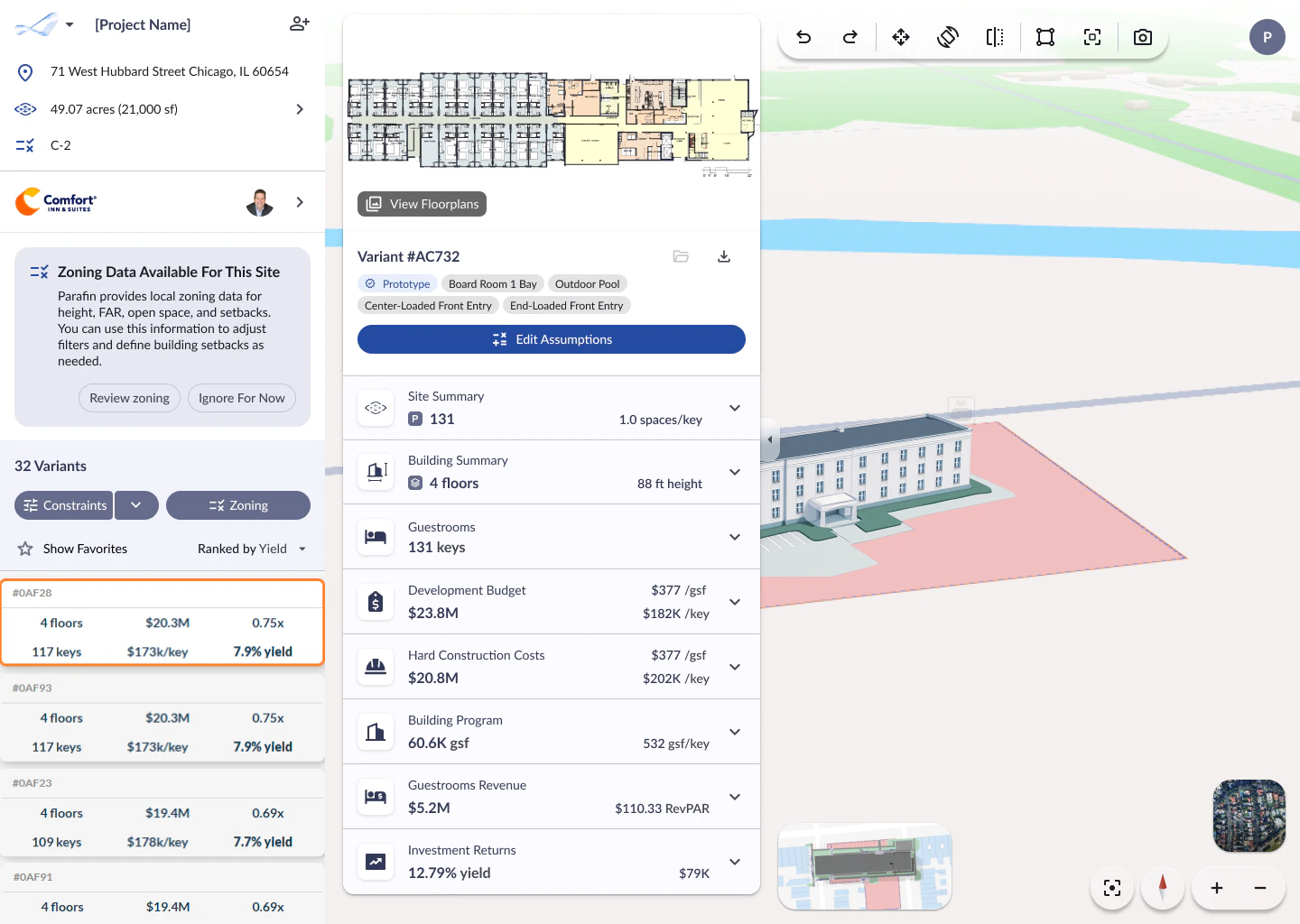
When zoning data is available for your site, a notification card appears in the project panel. Review it right away or dismiss it and come back later via the **Zoning** button.
 ### Constraints, with zoning-aware limits
What used to be **All Filters** is now **Constraints**, opened as the **Design Constraints** side sheet — same controls for building height, open space, room mix, and more, with a clearer name. When zoning data is available, building height and open space show the zoning baseline: you can set stricter values but not more lenient ones, and checkmarks next to each field confirm compliance.
[Explore constraints and zoning →](/working-with-projects/constraints-sorting)
## Understanding "no results"
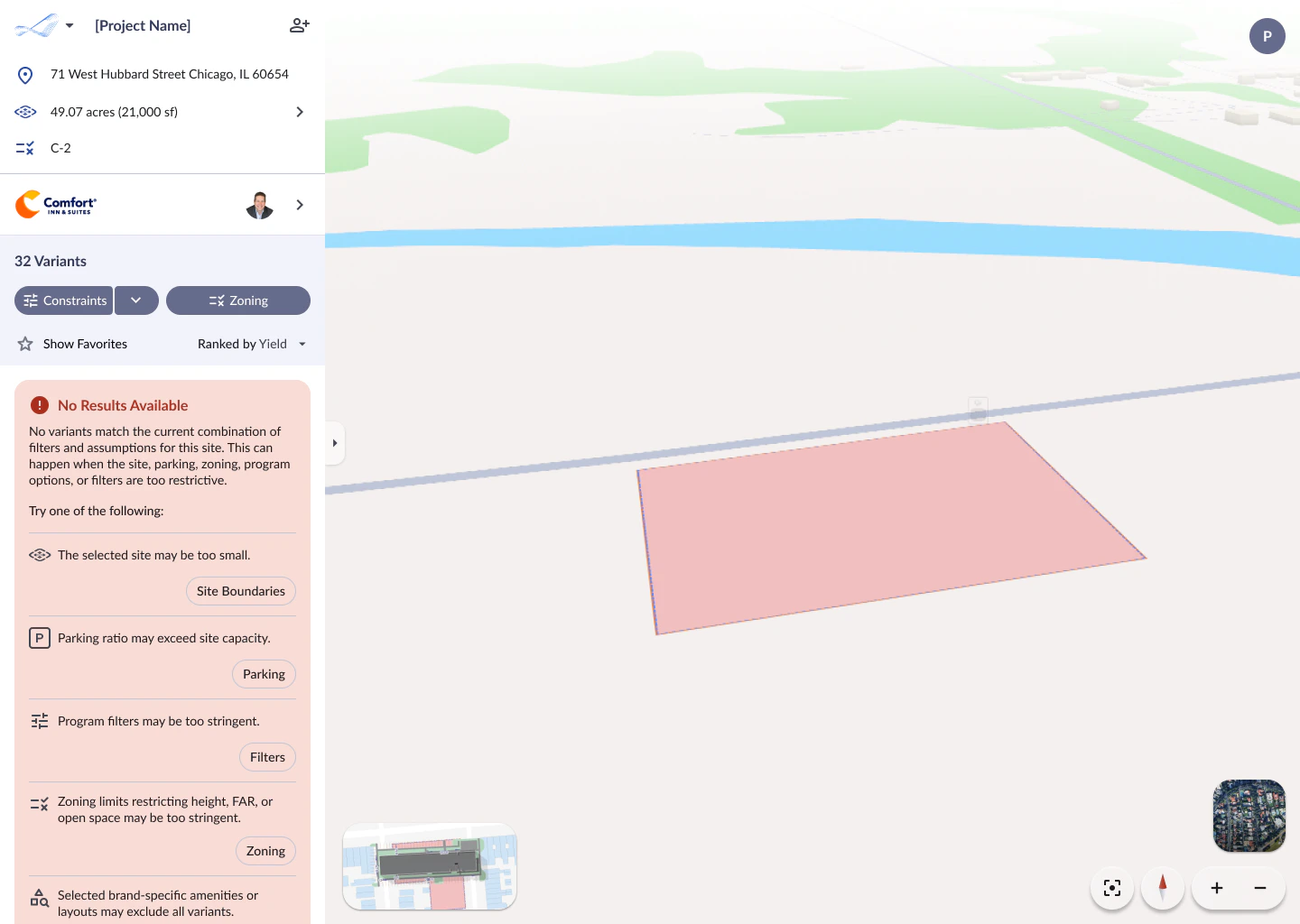
When none of the generated variants fit within your current constraints, a new message explains why and points you to the specific setting to adjust — site boundaries, parking, filters, or zoning limits.
### Constraints, with zoning-aware limits
What used to be **All Filters** is now **Constraints**, opened as the **Design Constraints** side sheet — same controls for building height, open space, room mix, and more, with a clearer name. When zoning data is available, building height and open space show the zoning baseline: you can set stricter values but not more lenient ones, and checkmarks next to each field confirm compliance.
[Explore constraints and zoning →](/working-with-projects/constraints-sorting)
## Understanding "no results"
When none of the generated variants fit within your current constraints, a new message explains why and points you to the specific setting to adjust — site boundaries, parking, filters, or zoning limits.
 [Learn more about no-results guidance →](/working-with-projects/no-results)
## Zoning Integration
Zoning data is now integrated directly into the Parafin workflow for sites across the United States and Canada. Coverage is free for all Parafin users.
### New Zoning Panel
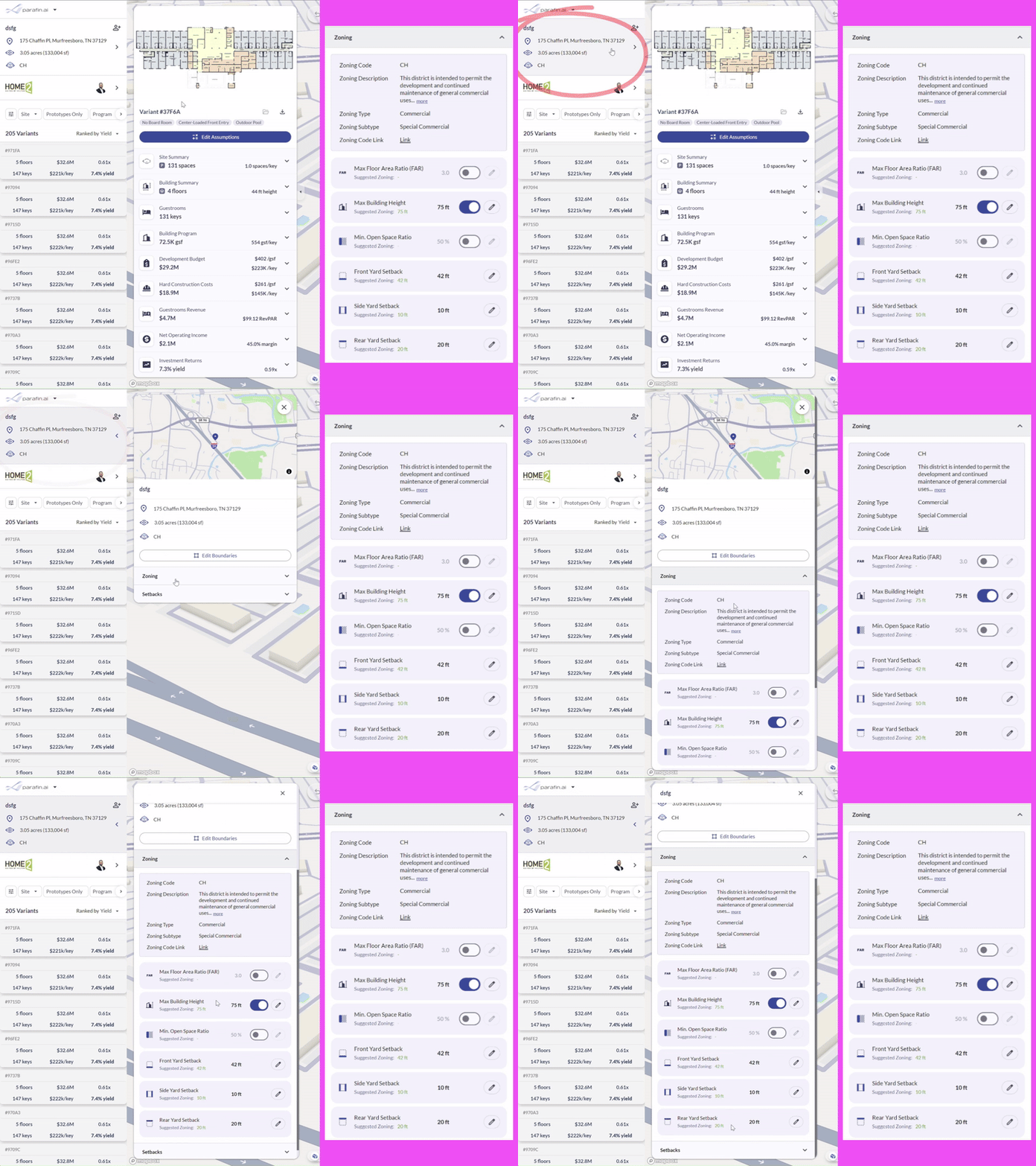
The **Zoning Panel** collects every available zoning detail for your site in one place. Open it by clicking anywhere in the project information section and expanding the **Zoning** section. You'll see the district code, description, zoning type, a direct link to the municipal zoning source, and the key dimensional controls that drive feasibility.
[Learn more about no-results guidance →](/working-with-projects/no-results)
## Zoning Integration
Zoning data is now integrated directly into the Parafin workflow for sites across the United States and Canada. Coverage is free for all Parafin users.
### New Zoning Panel
The **Zoning Panel** collects every available zoning detail for your site in one place. Open it by clicking anywhere in the project information section and expanding the **Zoning** section. You'll see the district code, description, zoning type, a direct link to the municipal zoning source, and the key dimensional controls that drive feasibility.
 [Learn more →](/tutorials/zoning-panel)
### Zoning Filters
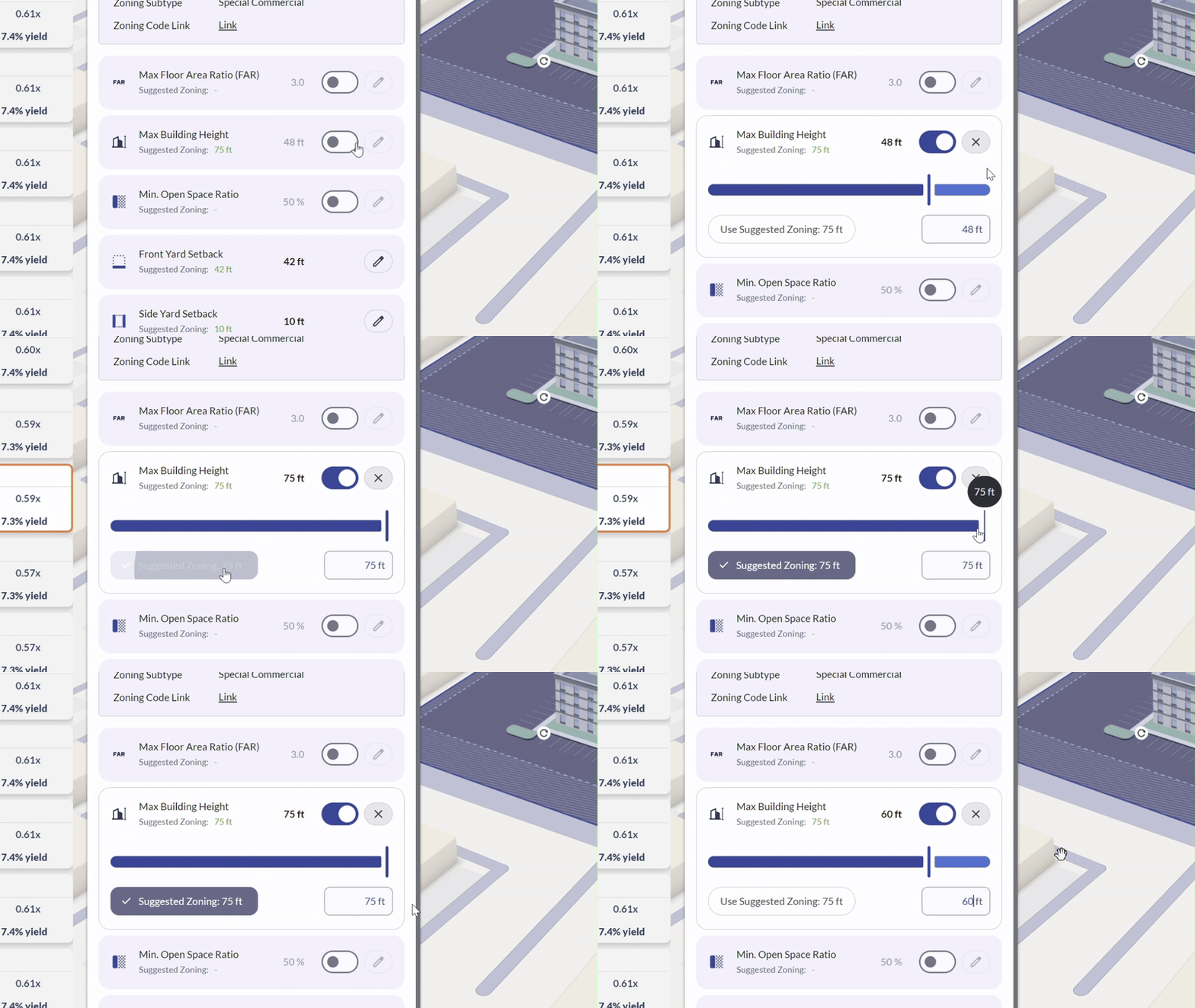
Apply FAR, maximum building height, and minimum open space constraints to your project with a single click. Each constraint displays a suggested zoning value — apply it as-is, enter your own value using the text field or slider, or turn the control off for that metric. Changes update your project assumptions in real time, and variant generations adjust accordingly.
[Learn more →](/tutorials/zoning-panel)
### Zoning Filters
Apply FAR, maximum building height, and minimum open space constraints to your project with a single click. Each constraint displays a suggested zoning value — apply it as-is, enter your own value using the text field or slider, or turn the control off for that metric. Changes update your project assumptions in real time, and variant generations adjust accordingly.
 ### Defining Setbacks with Zoning
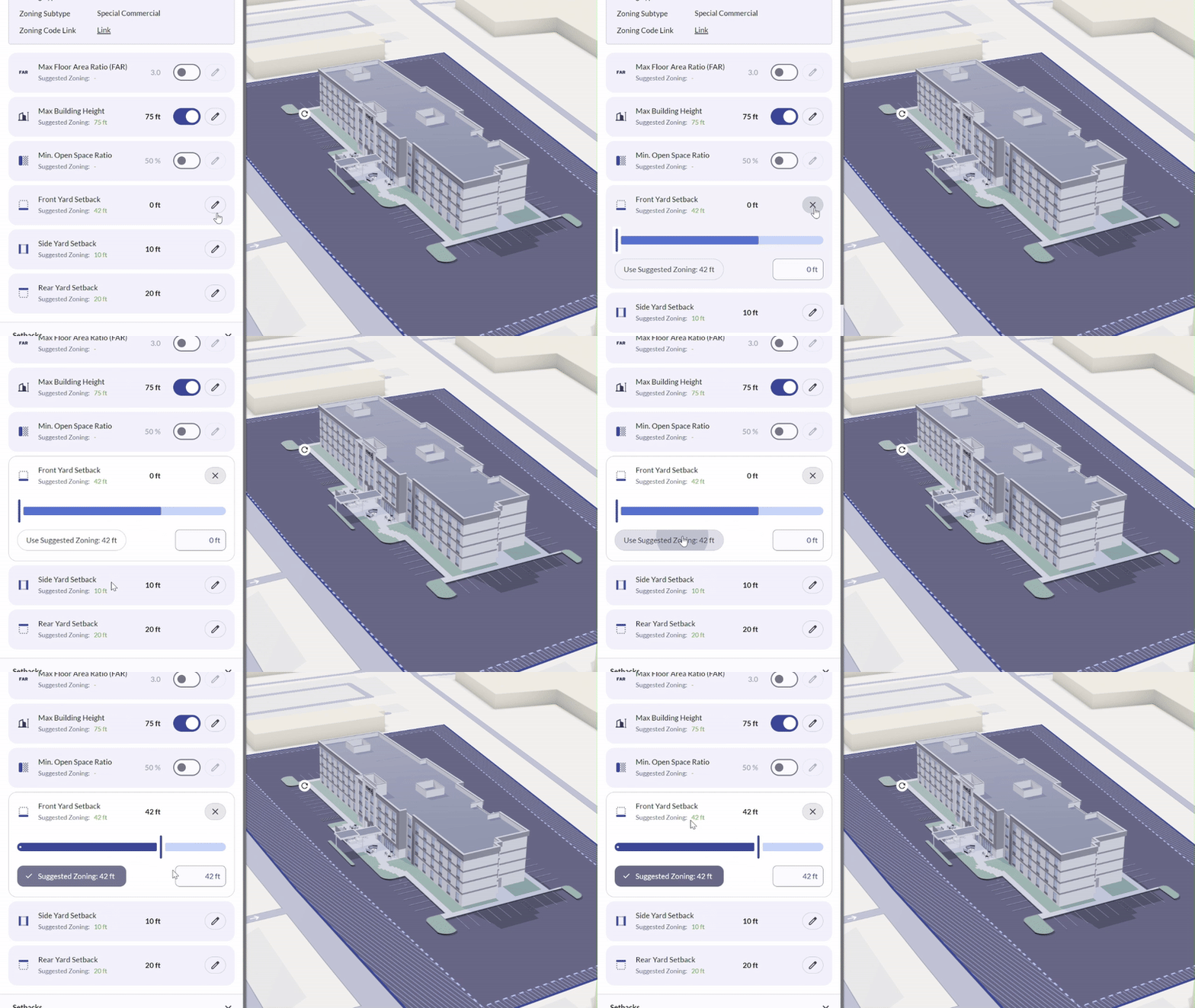
When zoning data is available for your site, Parafin displays suggested zoning values for front, side, and rear setbacks. Apply them as-is or adjust using the slider or text field; the site footprint in the viewer updates in real time.
### Defining Setbacks with Zoning
When zoning data is available for your site, Parafin displays suggested zoning values for front, side, and rear setbacks. Apply them as-is or adjust using the slider or text field; the site footprint in the viewer updates in real time.
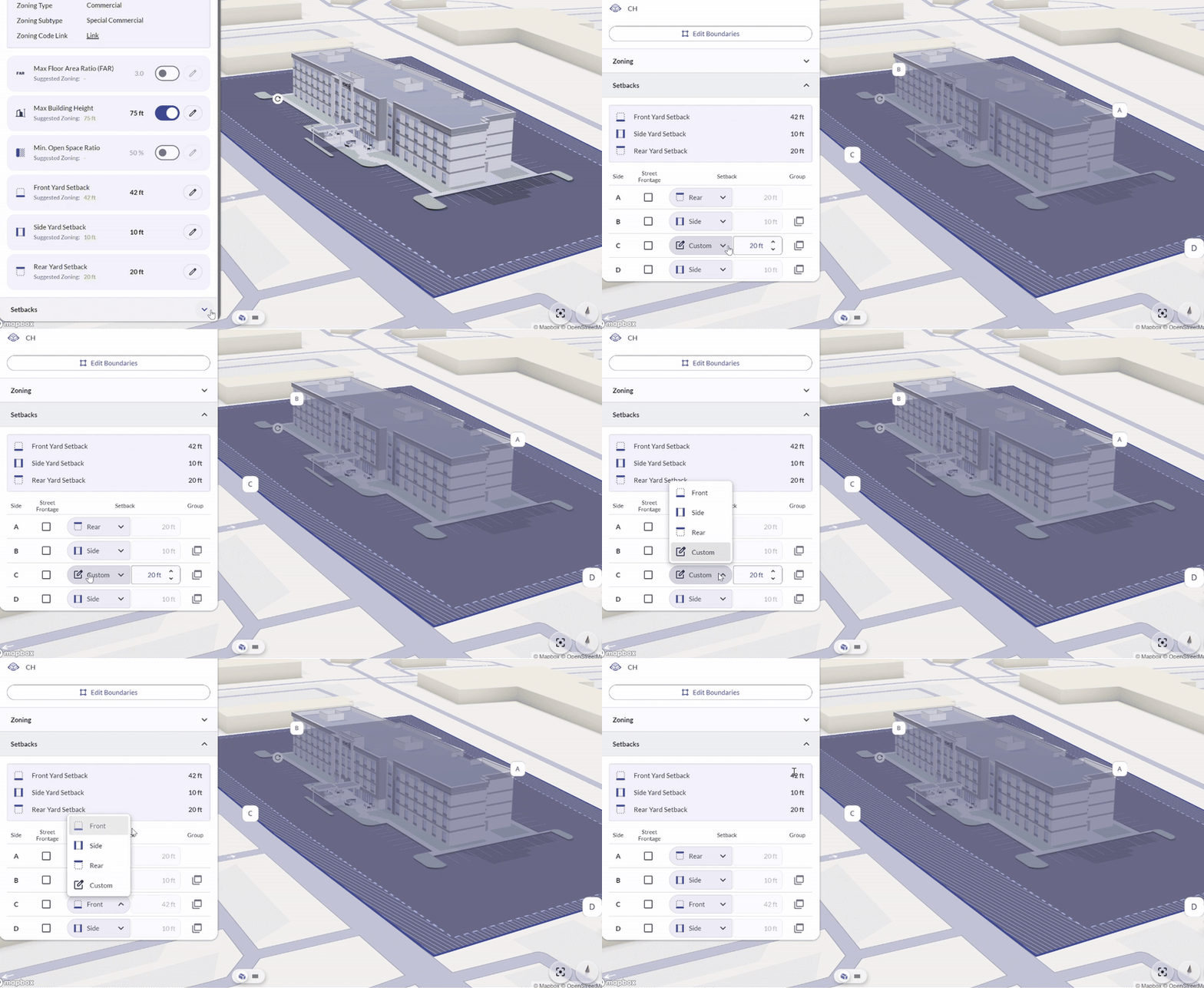
 Assign each labeled boundary to front, rear, or side yards. Parafin applies the matching zoning setback value to each designated edge.
 ### Zoning Data Coverage
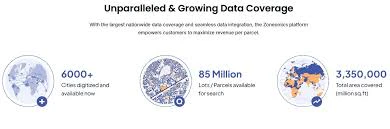
Zoning data is sourced from Zoneomics and refreshed weekly, covering the United States and Canada. If your site doesn't show zoning data, [let us know](mailto:support@parafin.ai) and we'll add it in the next weekly update.
### Zoning Data Coverage
Zoning data is sourced from Zoneomics and refreshed weekly, covering the United States and Canada. If your site doesn't show zoning data, [let us know](mailto:support@parafin.ai) and we'll add it in the next weekly update.
 ### Project Creation Progress Bar
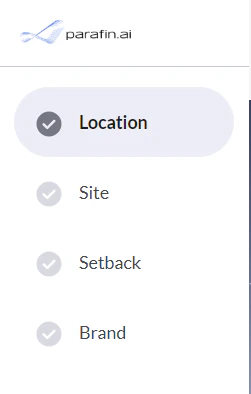
A new progress bar shows where you are in project creation. It reflects each major step — location, site definition, setbacks, and brand selection.
### Project Creation Progress Bar
A new progress bar shows where you are in project creation. It reflects each major step — location, site definition, setbacks, and brand selection.
 ## New Setbacks Panel
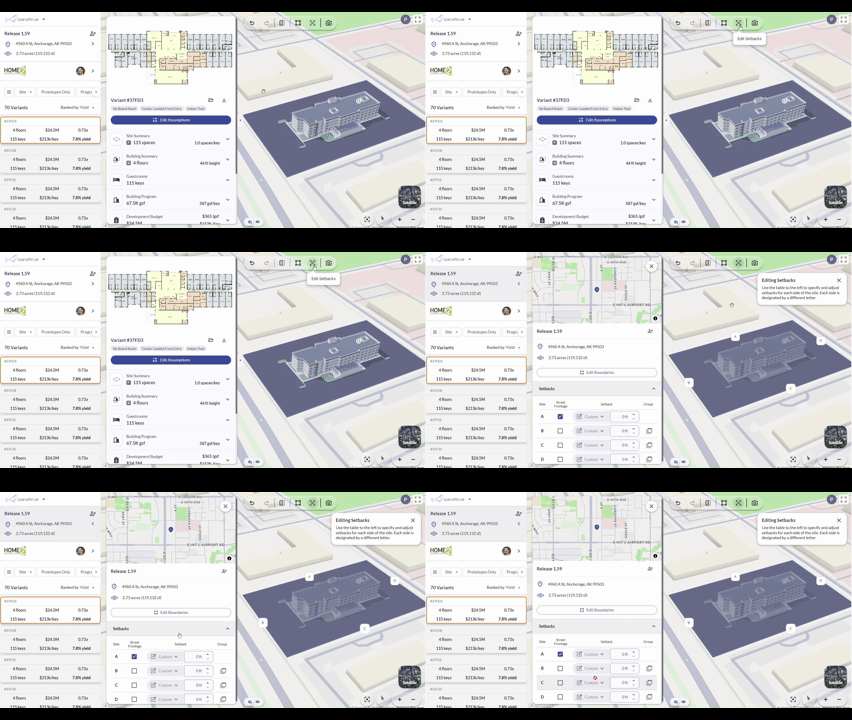
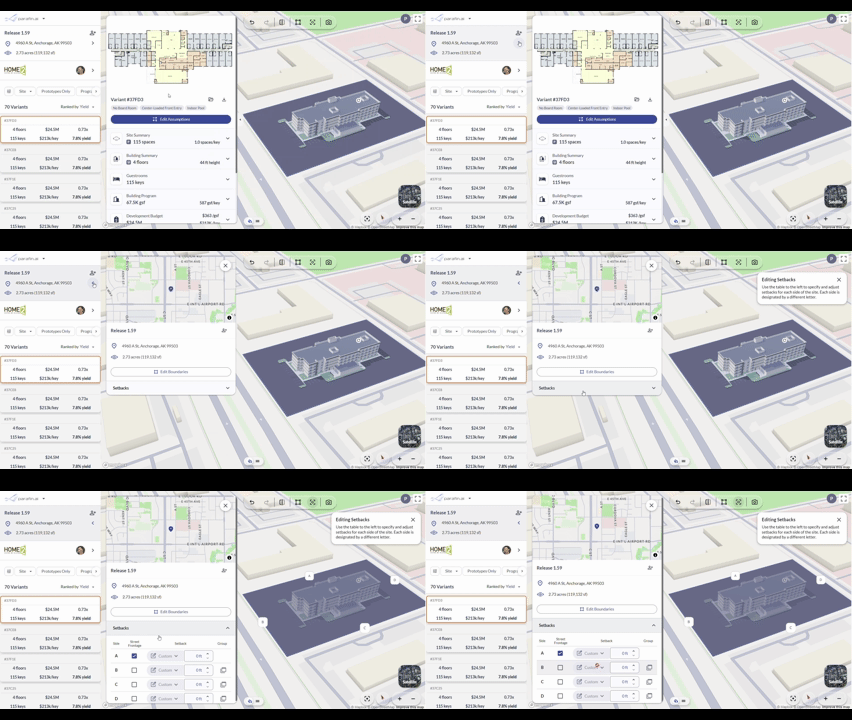
Edit site setbacks directly from the project dashboard using the new **Setbacks** panel. Open it from the setbacks button in the top toolbar, or by clicking anywhere in the project information side panel.
## New Setbacks Panel
Edit site setbacks directly from the project dashboard using the new **Setbacks** panel. Open it from the setbacks button in the top toolbar, or by clicking anywhere in the project information side panel.
 ### Instructions dialogs
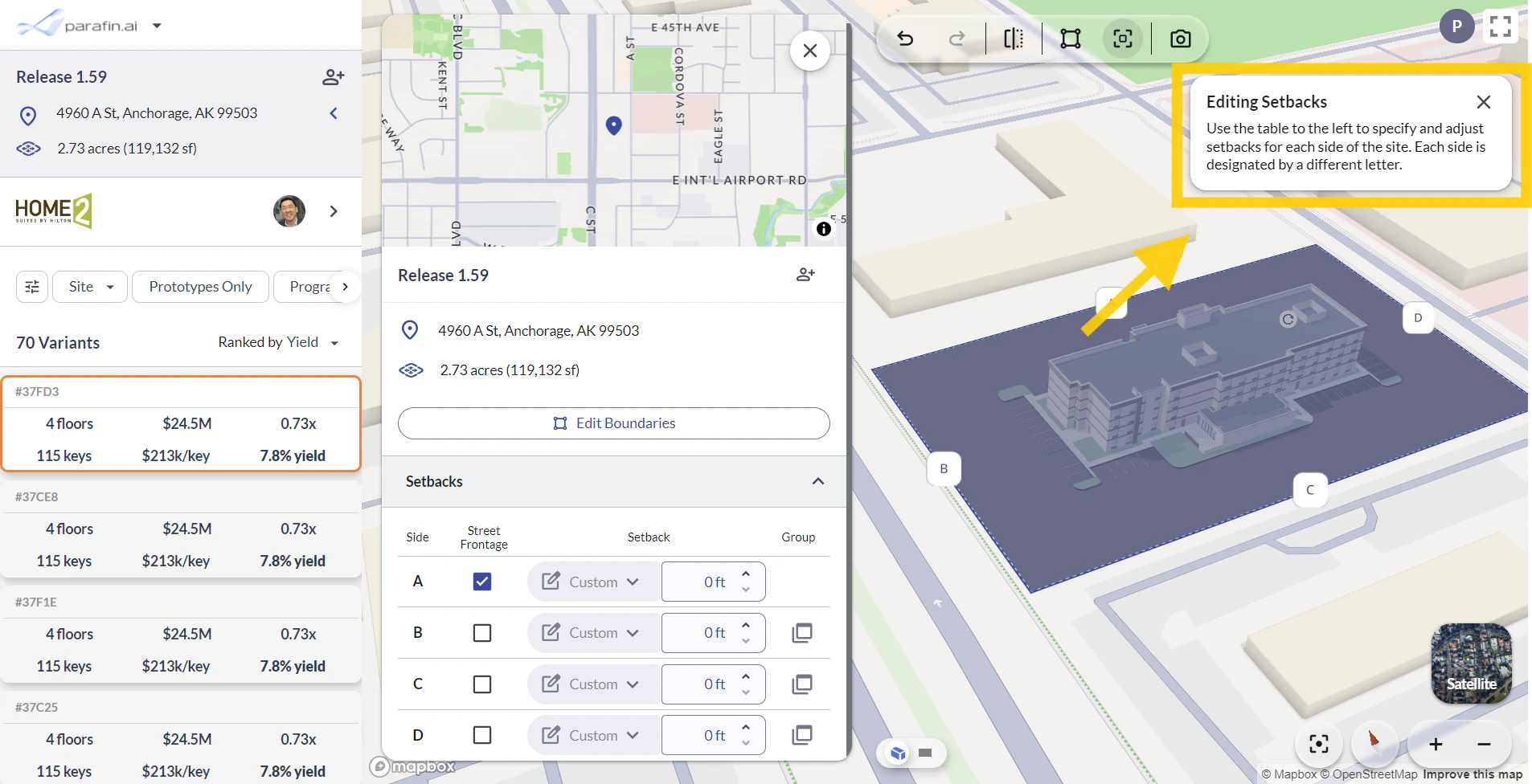
Inline instructions dialogs surface guidance on new features. Dismiss any dialog by clicking the **X** button.
### Instructions dialogs
Inline instructions dialogs surface guidance on new features. Dismiss any dialog by clicking the **X** button.
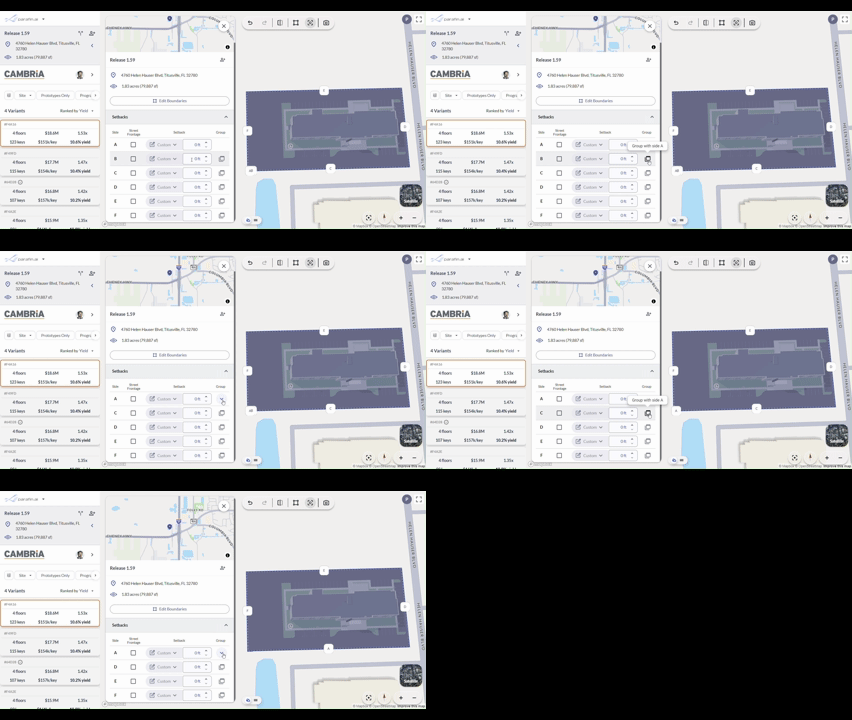
 ### Side grouping for simplified setbacks
Group adjacent sides together to simplify side labeling when county parcel geometry produces more sides than you need.
### Side grouping for simplified setbacks
Group adjacent sides together to simplify side labeling when county parcel geometry produces more sides than you need.
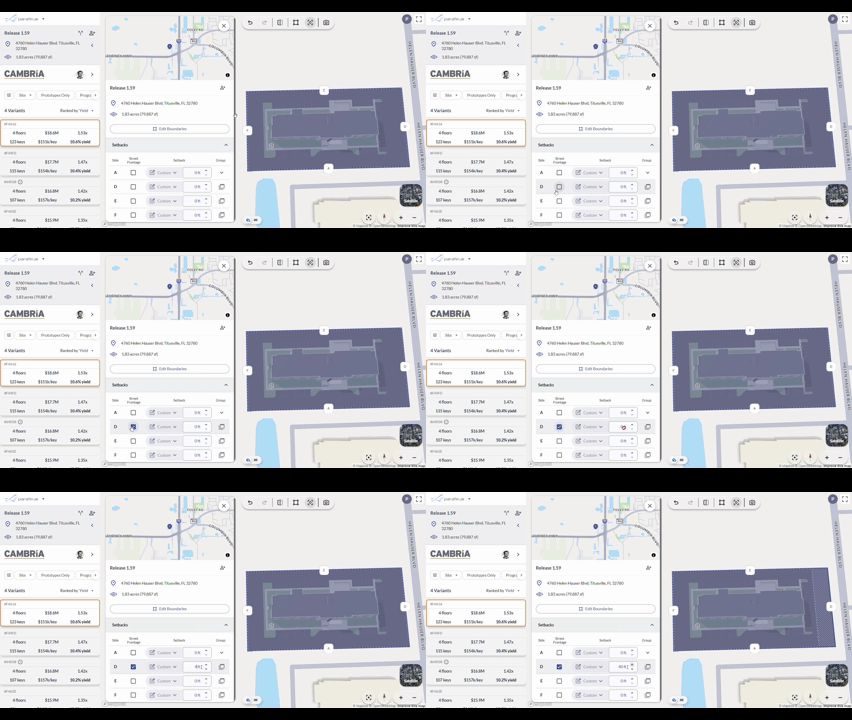
 ### Adjusting setback distances
Adjust individual setback distances inside the panel. Changes apply to the site footprint in the viewer in real time.
### Adjusting setback distances
Adjust individual setback distances inside the panel. Changes apply to the site footprint in the viewer in real time.
 ## Smarter Viewer Toolbar
A new viewer toolbar and refreshed viewer controls.
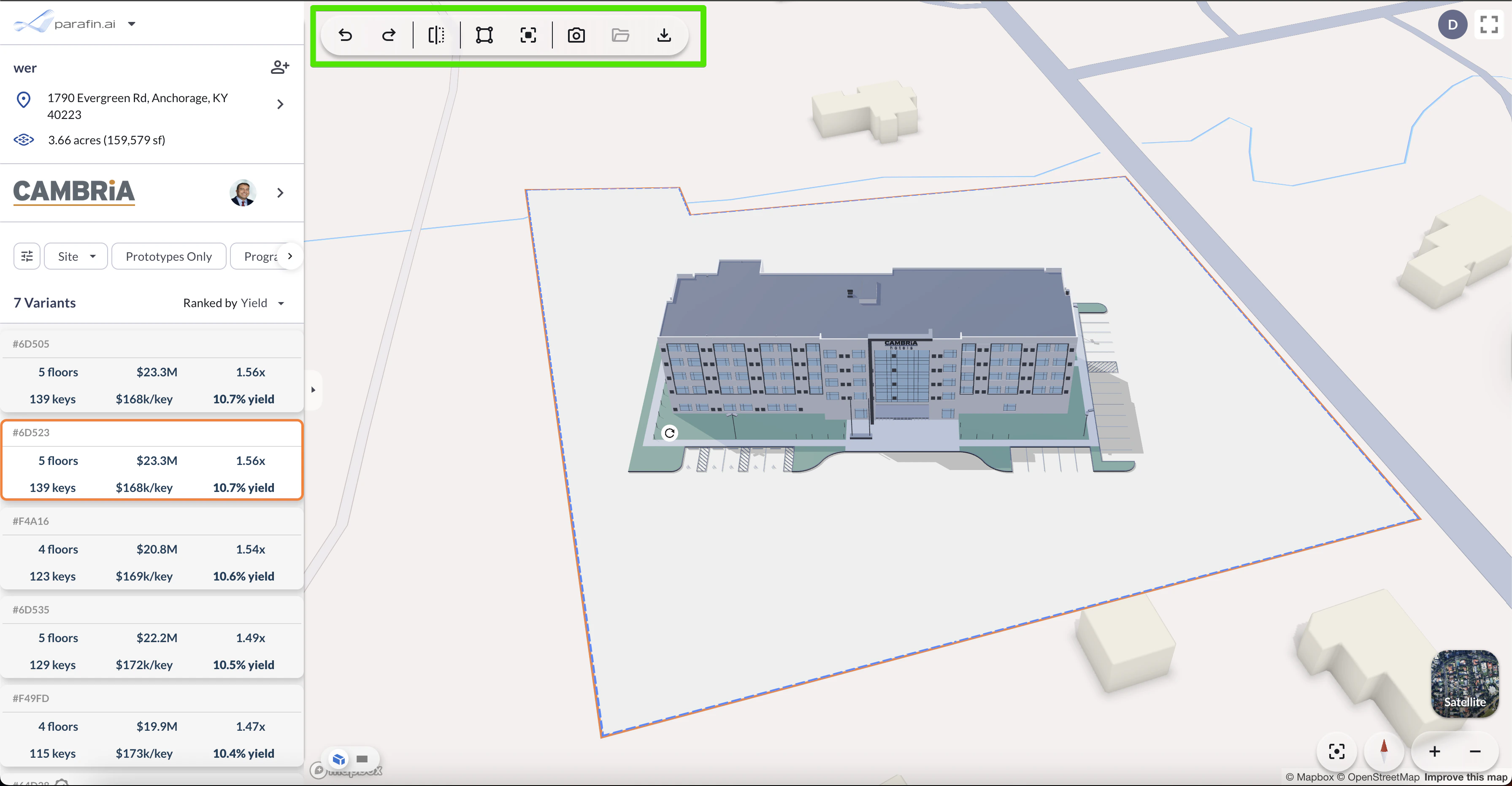
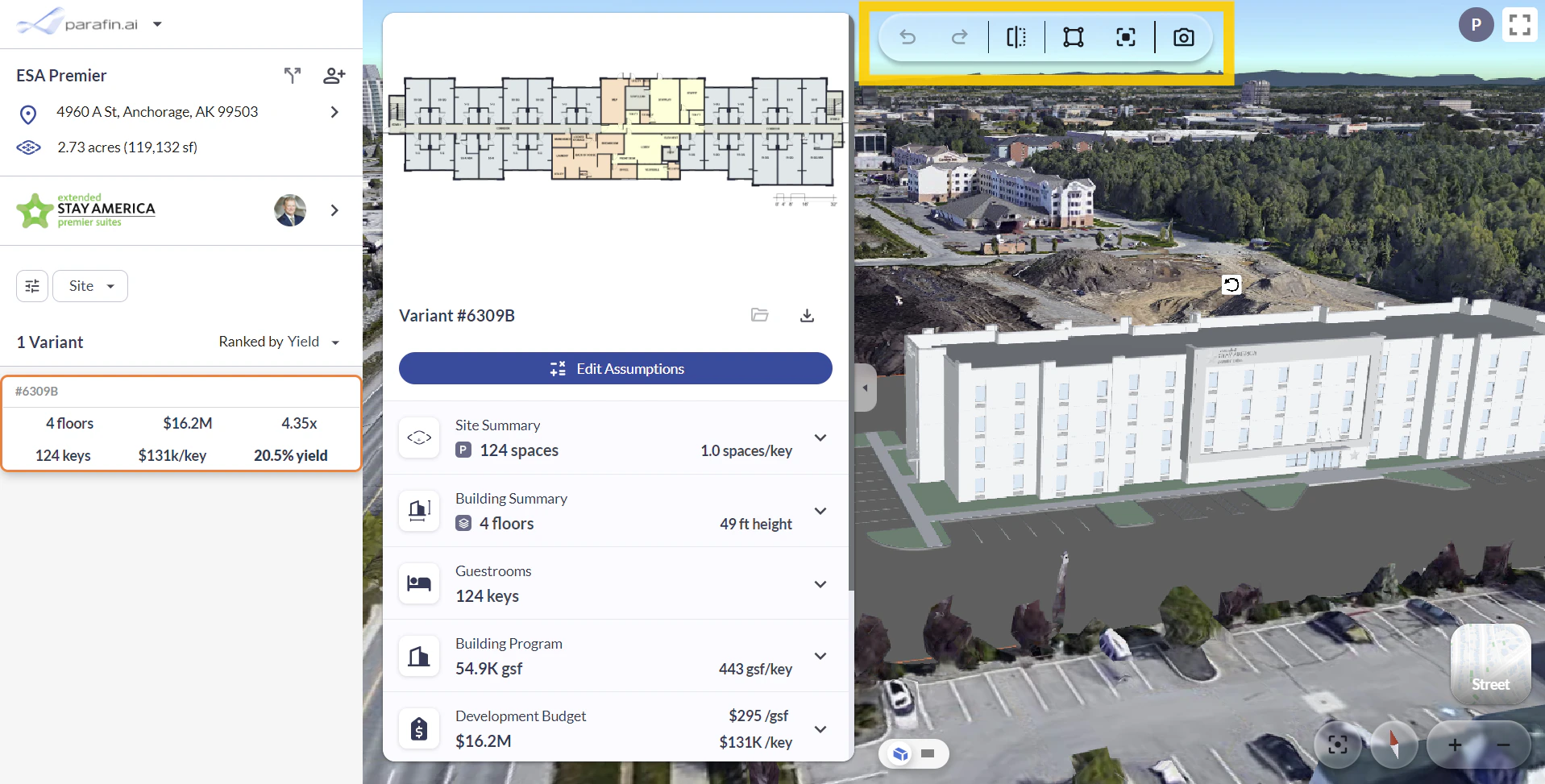
### Viewer Toolbar
A new toolbar in the top-left corner of the viewer centralizes the key design actions:
* **Undo / redo**
* **Mirror building**
* **Edit site boundaries and setbacks**
* **Create a snapshot** of the current view
## Smarter Viewer Toolbar
A new viewer toolbar and refreshed viewer controls.
### Viewer Toolbar
A new toolbar in the top-left corner of the viewer centralizes the key design actions:
* **Undo / redo**
* **Mirror building**
* **Edit site boundaries and setbacks**
* **Create a snapshot** of the current view
 ### Viewer Controls
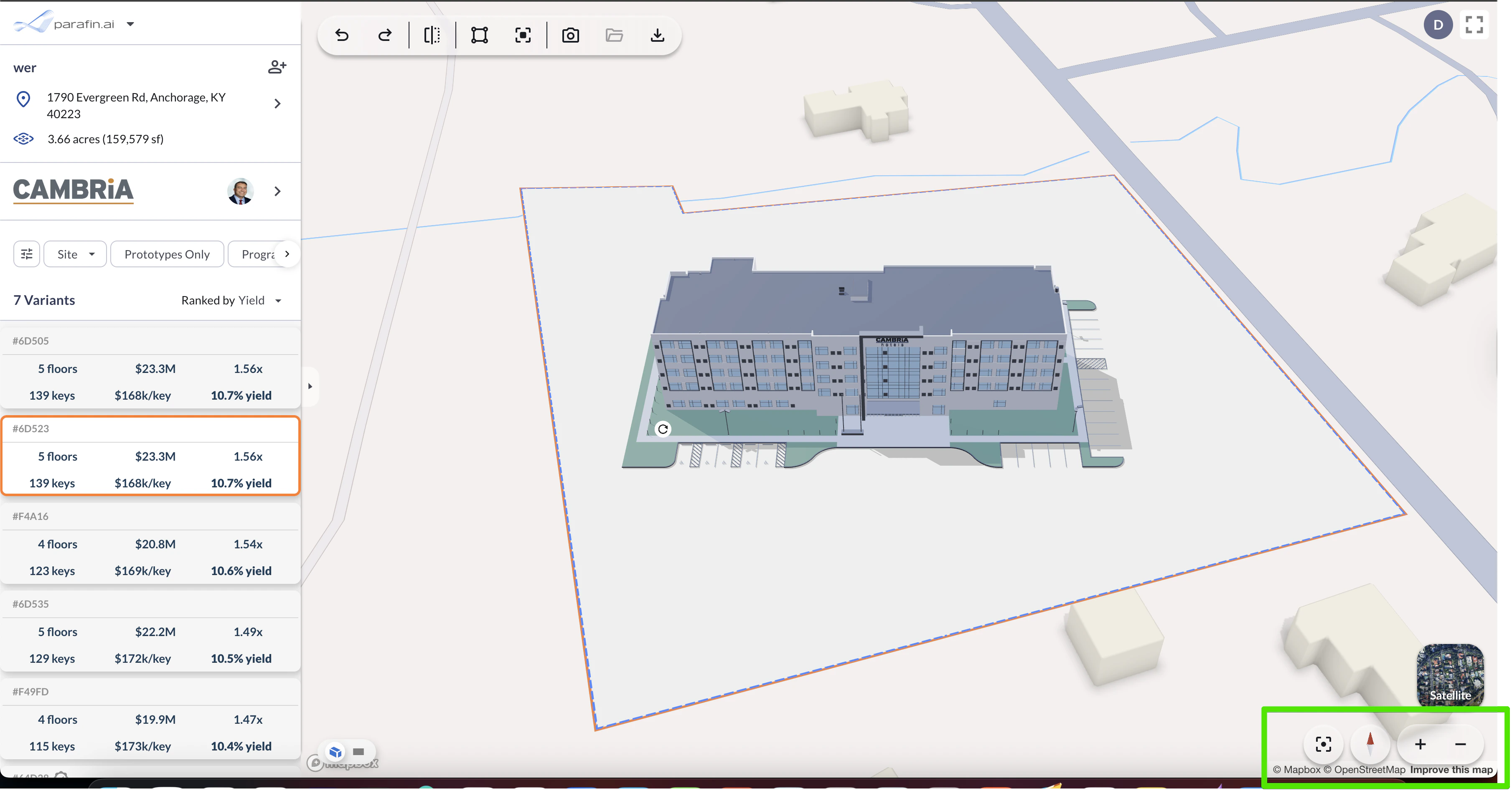
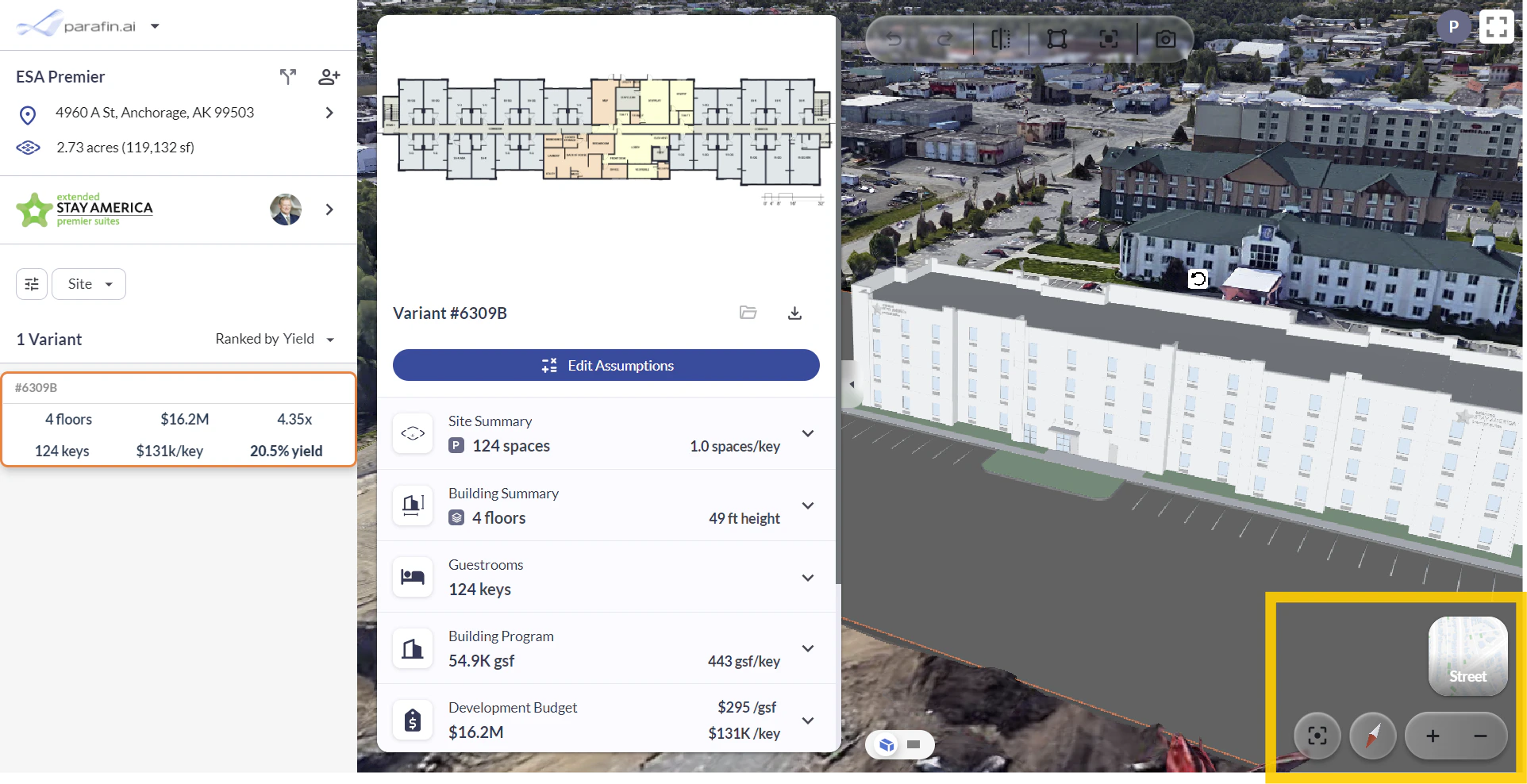
The navigation controls in the bottom-right corner of the viewer have been refreshed:
* **Toggle** between Street View and 3D Satellite view
* **Re-center** your site in the viewer
* **North arrow** to orient your bearings
* **Zoom** in or out
### Viewer Controls
The navigation controls in the bottom-right corner of the viewer have been refreshed:
* **Toggle** between Street View and 3D Satellite view
* **Re-center** your site in the viewer
* **North arrow** to orient your bearings
* **Zoom** in or out
 ## Smarter Menus, Filters, and Editing Assumptions
Cleaner menus, inline filter editing, and an Edit Assumptions side panel.
### Main Menu
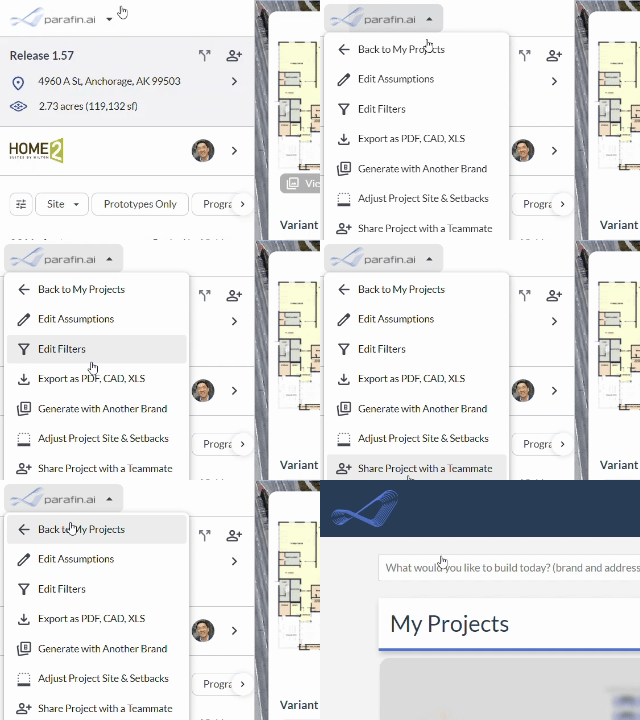
A new **main menu dropdown** in the top-left corner navigates to My Projects and other common destinations. Some users reported they weren't sure how to get back to My Projects from inside a project; this fixes that.
## Smarter Menus, Filters, and Editing Assumptions
Cleaner menus, inline filter editing, and an Edit Assumptions side panel.
### Main Menu
A new **main menu dropdown** in the top-left corner navigates to My Projects and other common destinations. Some users reported they weren't sure how to get back to My Projects from inside a project; this fixes that.
 ### User Profile & Settings
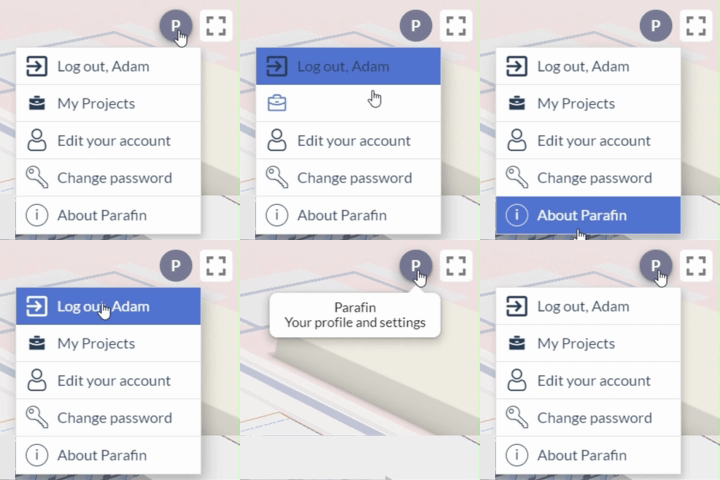
Access your user profile and password from the top-right corner of the screen.
### User Profile & Settings
Access your user profile and password from the top-right corner of the screen.
 ### Filters
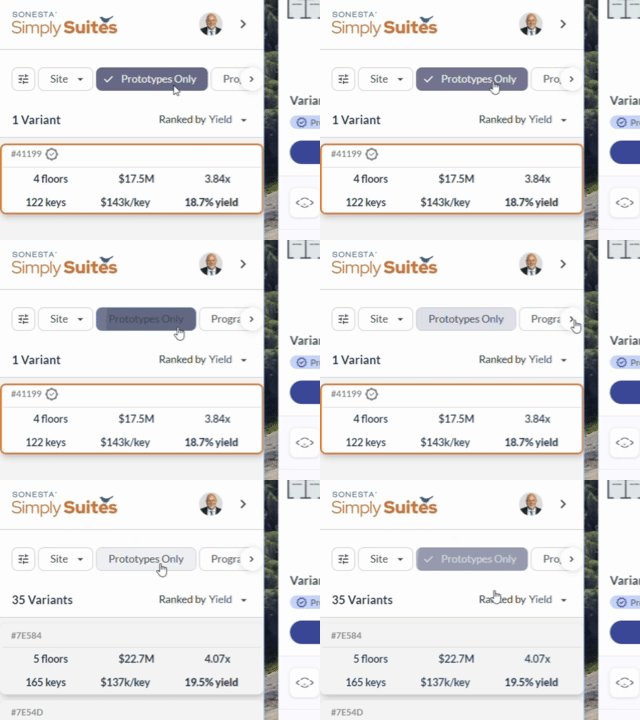
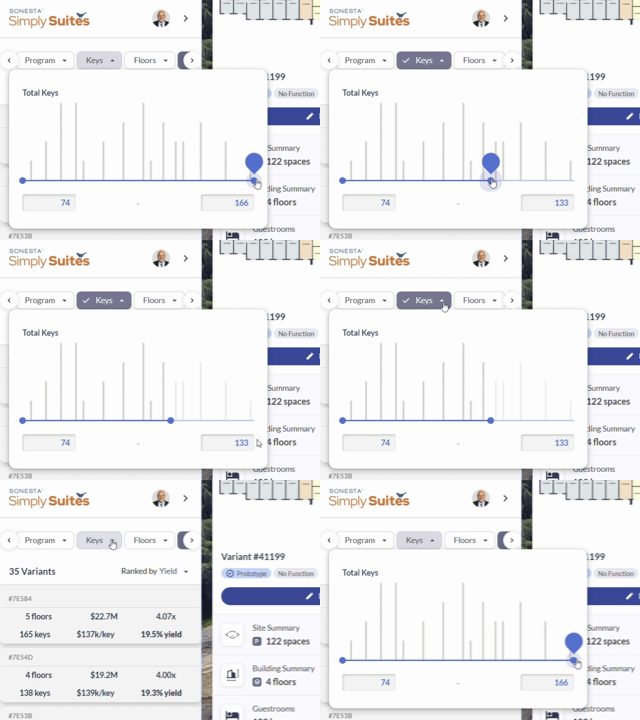
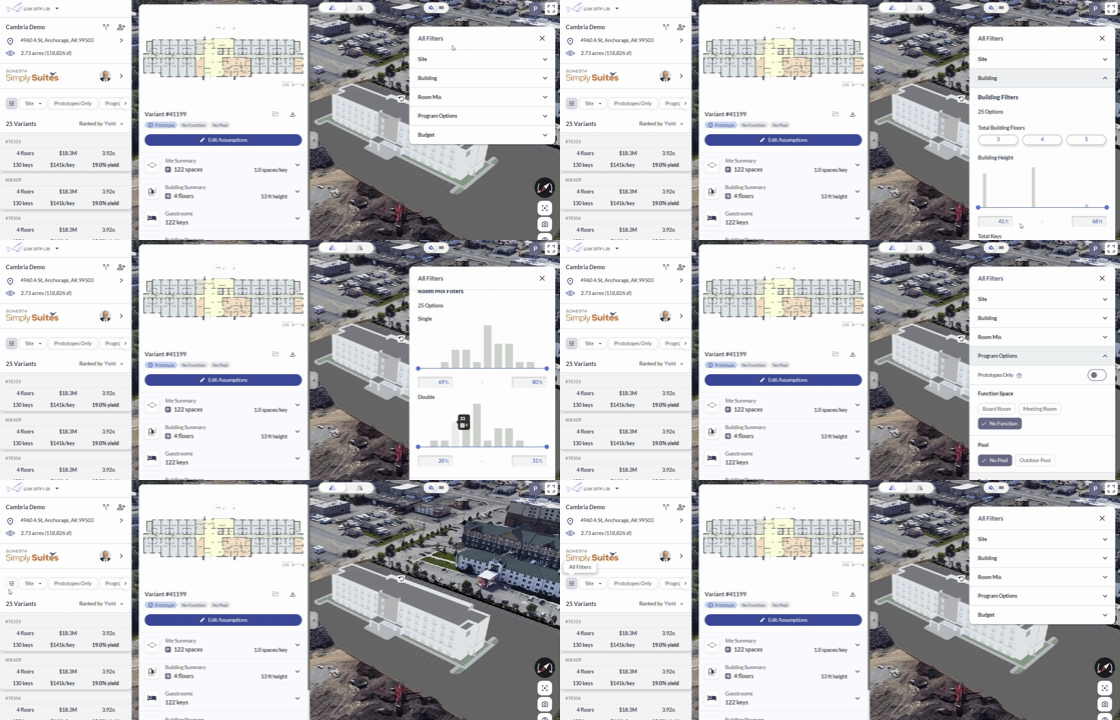
Every filter is now accessible directly in the **Project Panel** — no more jumping screens to adjust a constraint.
### Filters
Every filter is now accessible directly in the **Project Panel** — no more jumping screens to adjust a constraint.
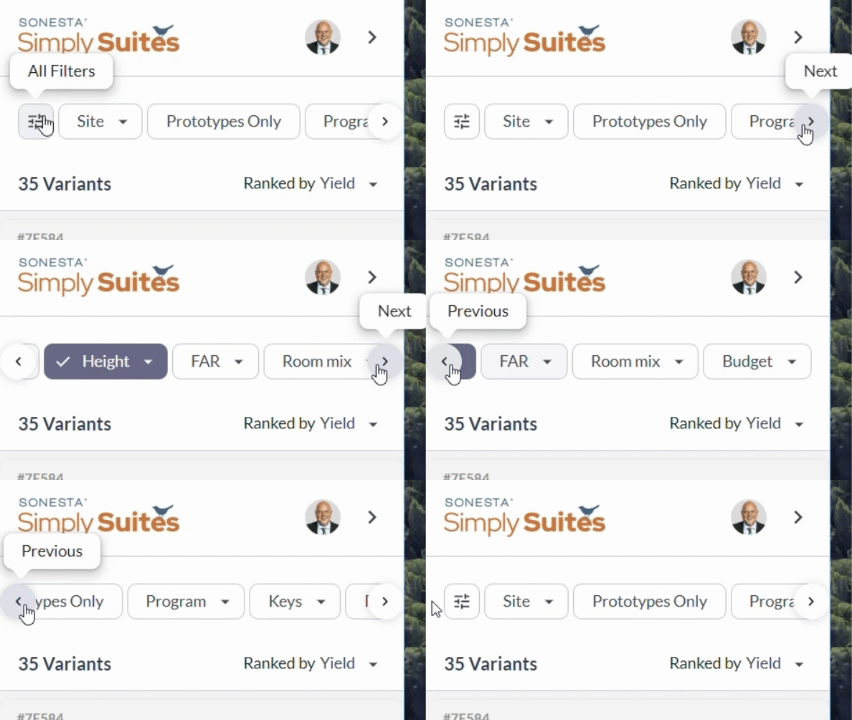 Toggle filters on and off with a single click.
 Adjust filter values right in the panel, without opening a dialog.
 Or edit every filter at once in the side panel.
 ### Edit Assumptions in the Side Panel
Edit all of your project assumptions by clicking the **Edit Assumptions** button in the variant popup. Your changes are reflected across every variant in the project.
### Edit Assumptions in the Side Panel
Edit all of your project assumptions by clicking the **Edit Assumptions** button in the variant popup. Your changes are reflected across every variant in the project.
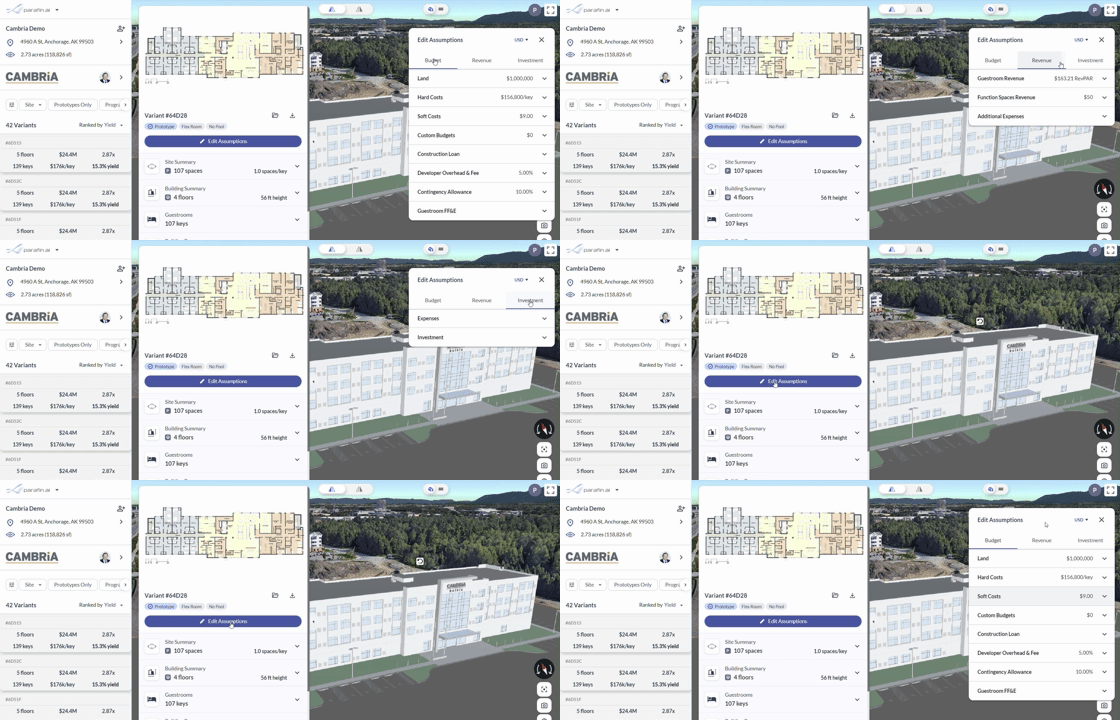 ### Non-Guestroom Program Option Labels
Refined labels make non-guestroom program areas easier to scan.
### Non-Guestroom Program Option Labels
Refined labels make non-guestroom program areas easier to scan.
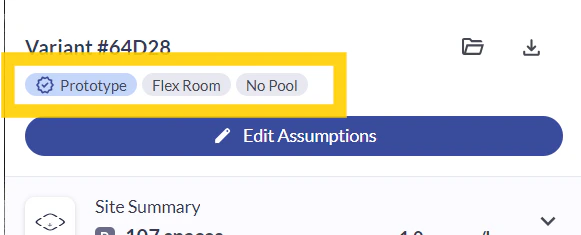 ## Project Panel redesign
Project-specific details now live in a single **Project Panel** on the left.
### Project Panel
Project Name, address, and site details have moved from the header to the top of the new Project Panel. Brand insights and the variant ranking sit just below.
## Project Panel redesign
Project-specific details now live in a single **Project Panel** on the left.
### Project Panel
Project Name, address, and site details have moved from the header to the top of the new Project Panel. Brand insights and the variant ranking sit just below.
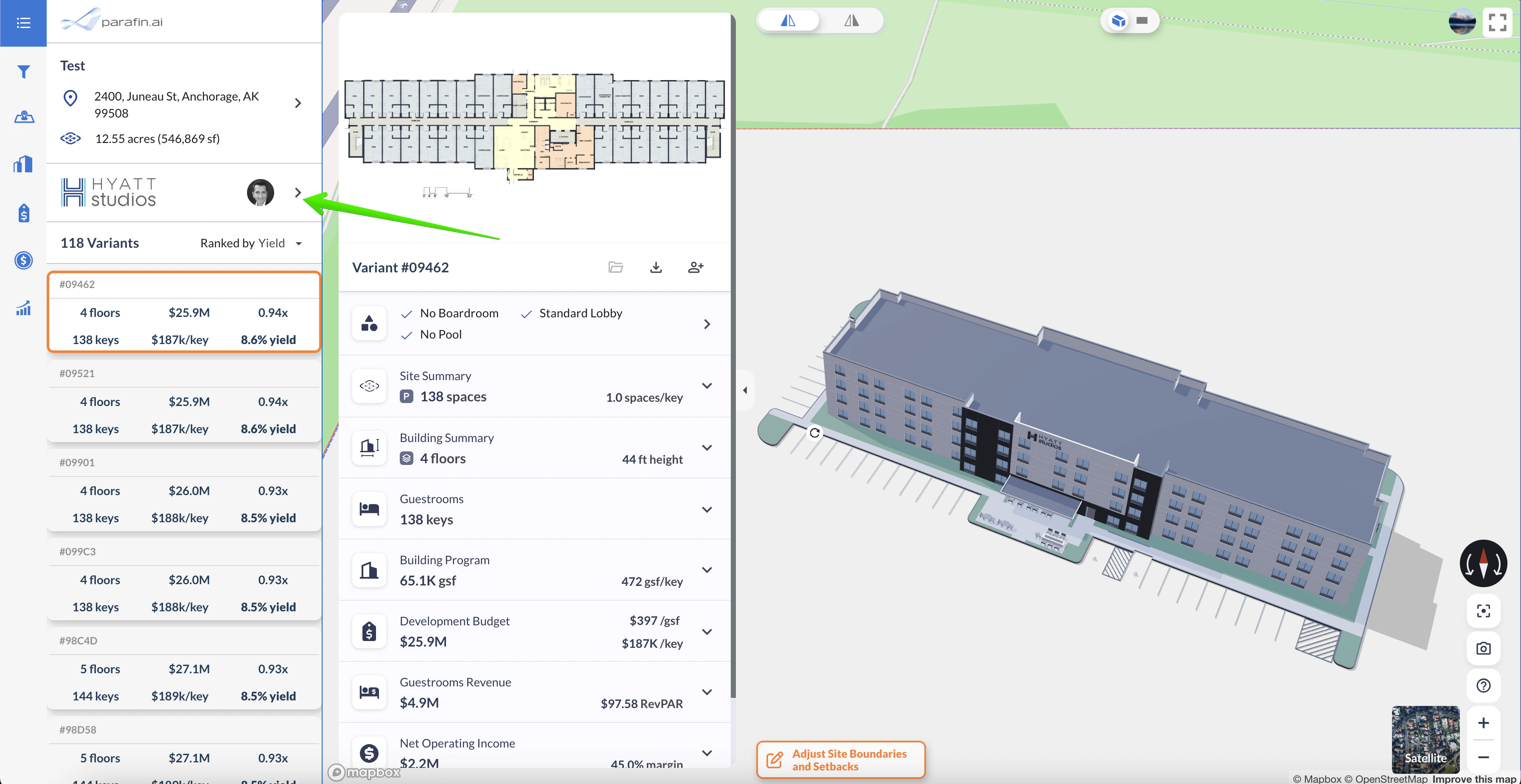 ### Edit project name in place
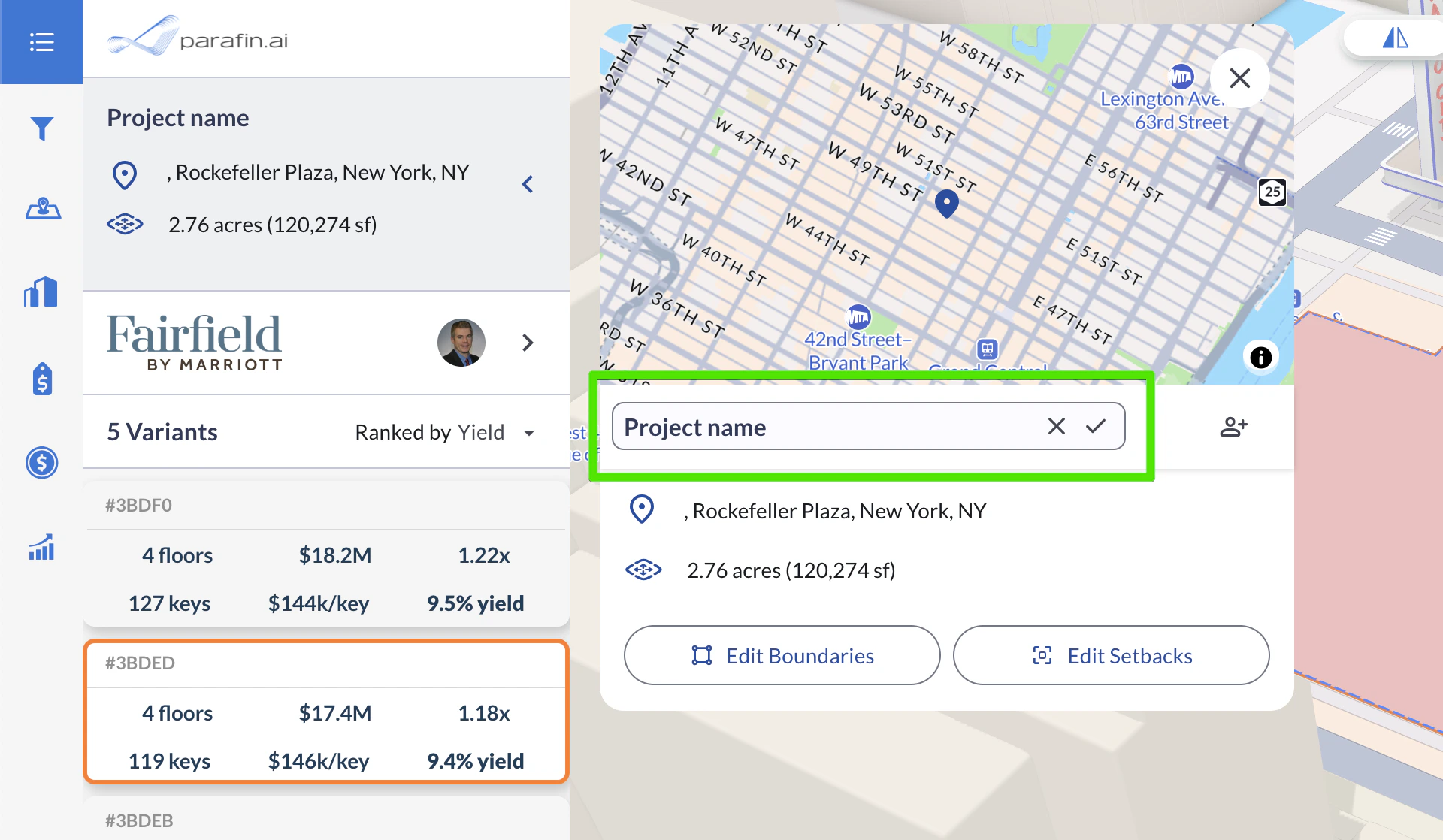
Click the project name in the Project Panel to rename the project without leaving the dashboard.
### Edit project name in place
Click the project name in the Project Panel to rename the project without leaving the dashboard.
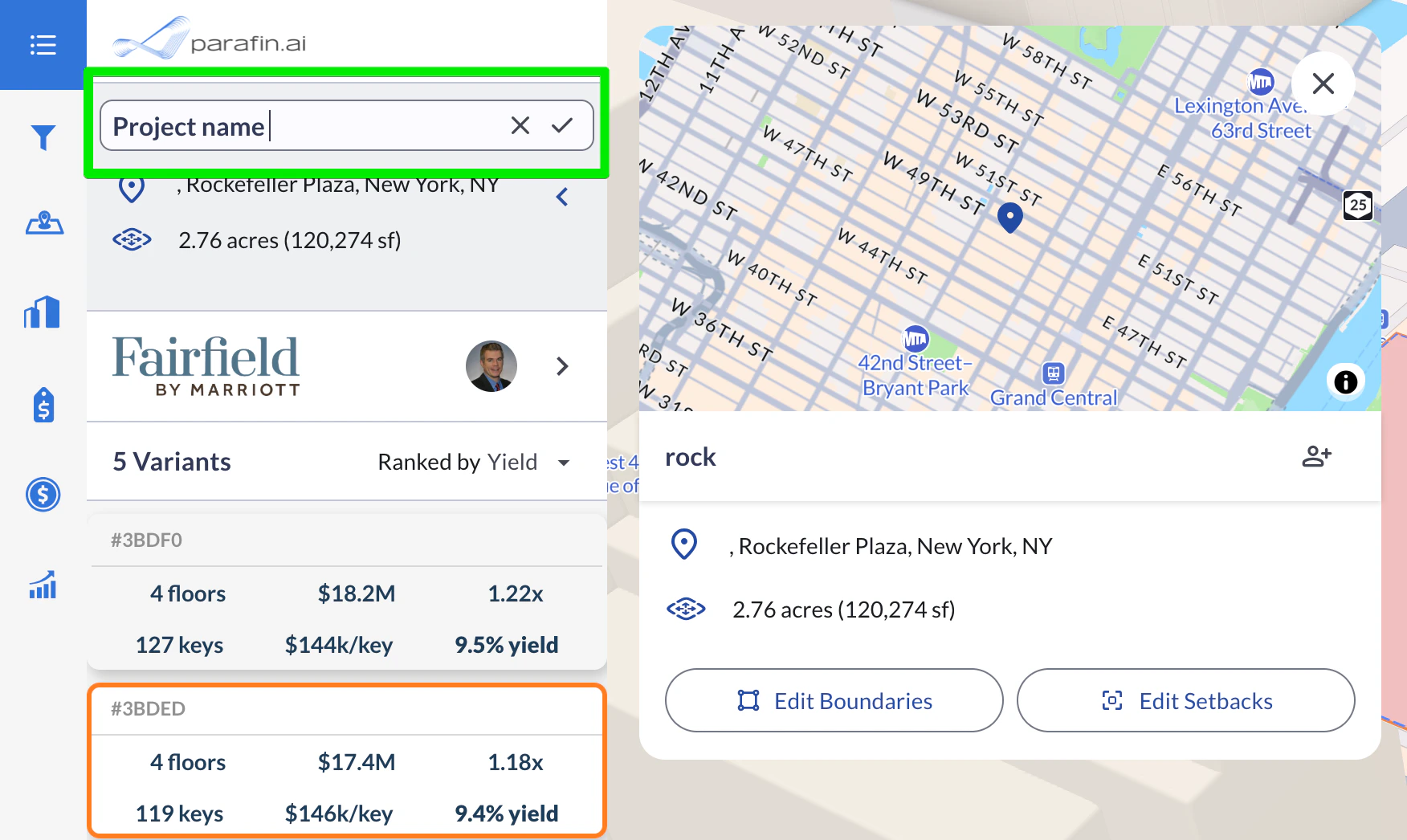 ### Project Information dialog
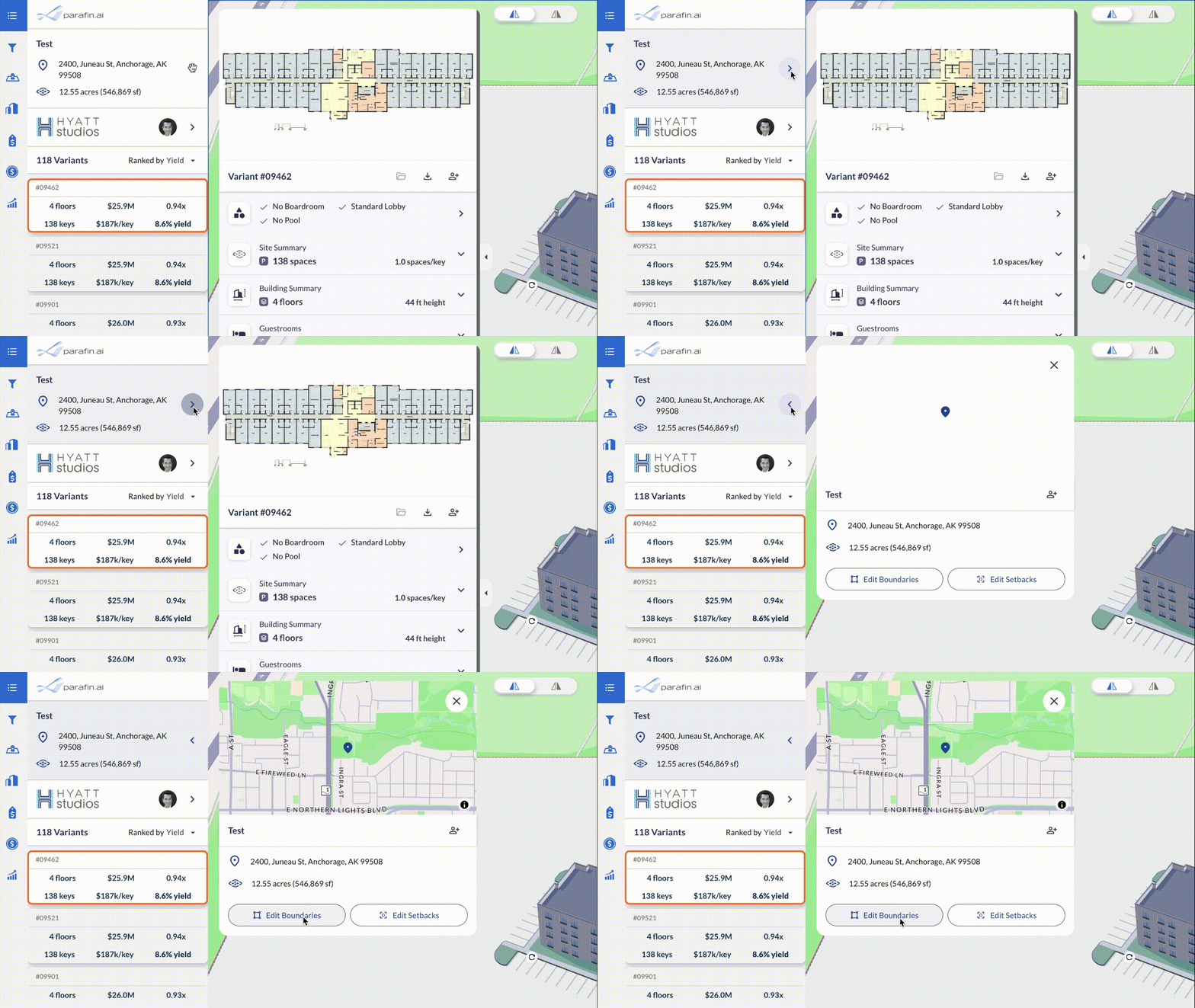
A dedicated **Project Information** dialog surfaces and refines location and site details: rename the project, view location and site info, adjust boundaries and setbacks, and share the project with your team.
### Project Information dialog
A dedicated **Project Information** dialog surfaces and refines location and site details: rename the project, view location and site info, adjust boundaries and setbacks, and share the project with your team.
 ### Brand Information dialog
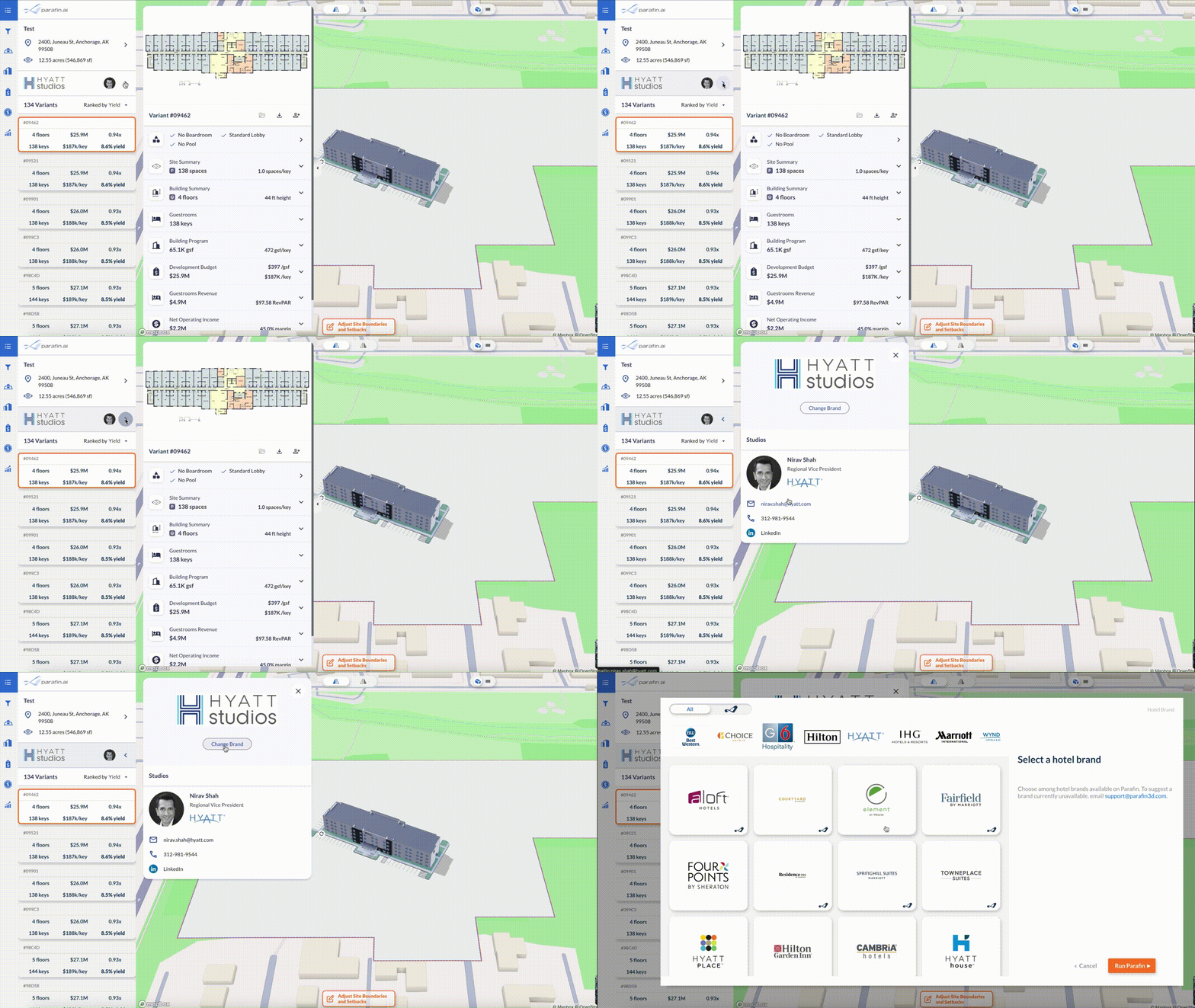
Click the Brand section in the Project Panel to open a **Brand Information** dialog. View the regional brand representative's contact info, or switch to a different brand for the same site.
### Brand Information dialog
Click the Brand section in the Project Panel to open a **Brand Information** dialog. View the regional brand representative's contact info, or switch to a different brand for the same site.
 ### Variant sorting
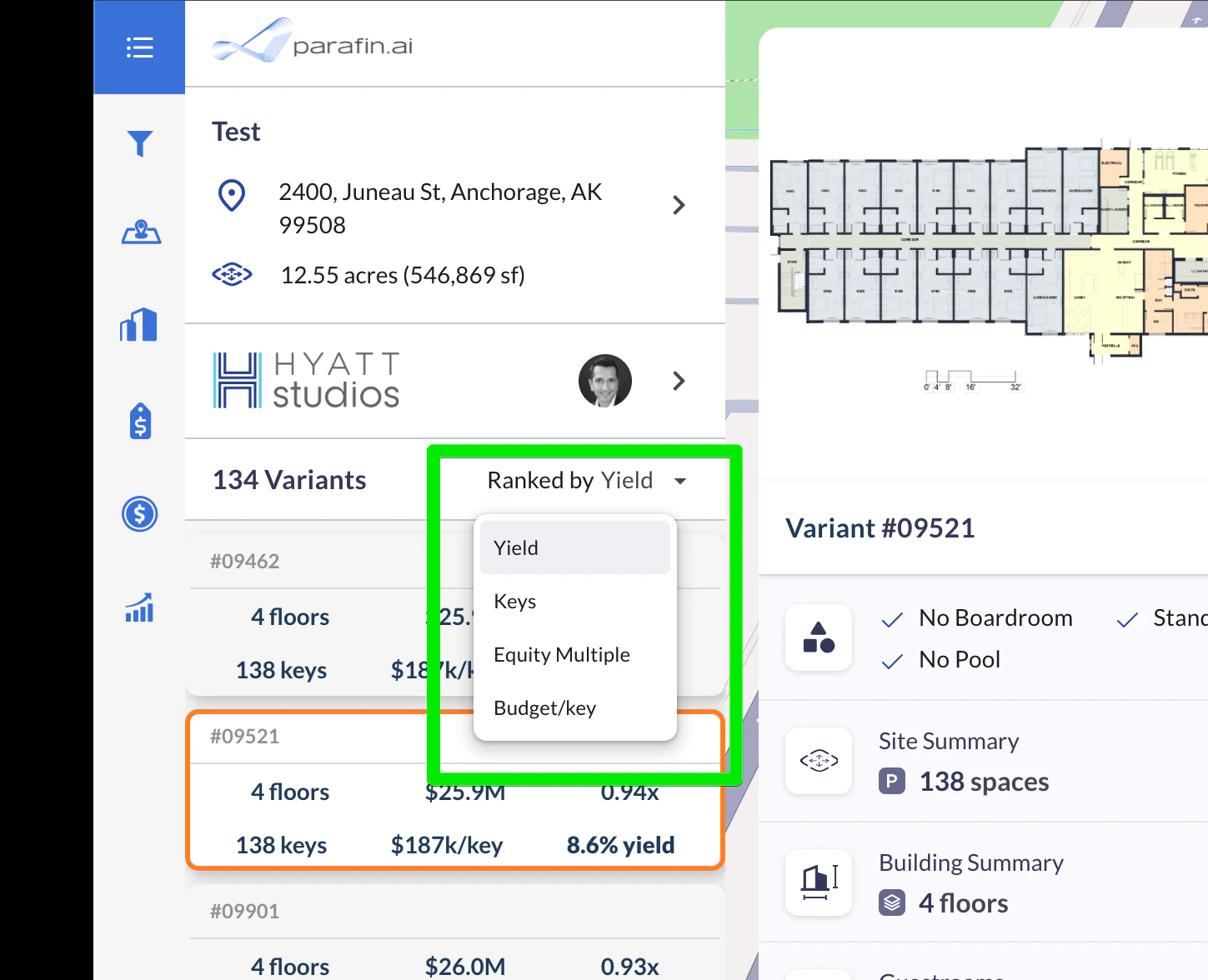
Sort optimized variants by **Yield**, **Key Count**, **Equity Multiple**, or **Budget per Key**.
### Variant sorting
Sort optimized variants by **Yield**, **Key Count**, **Equity Multiple**, or **Budget per Key**.
 ## LARC GIS, RaaP for Hyatt Studios, and viewer improvements
Location-based RevPAR estimates from LARC GIS land in the project dashboard, RaaP construction cost estimates extend to Hyatt Studios, and the viewer expands.
### LARC GIS RevPAR estimates (beta pilot)
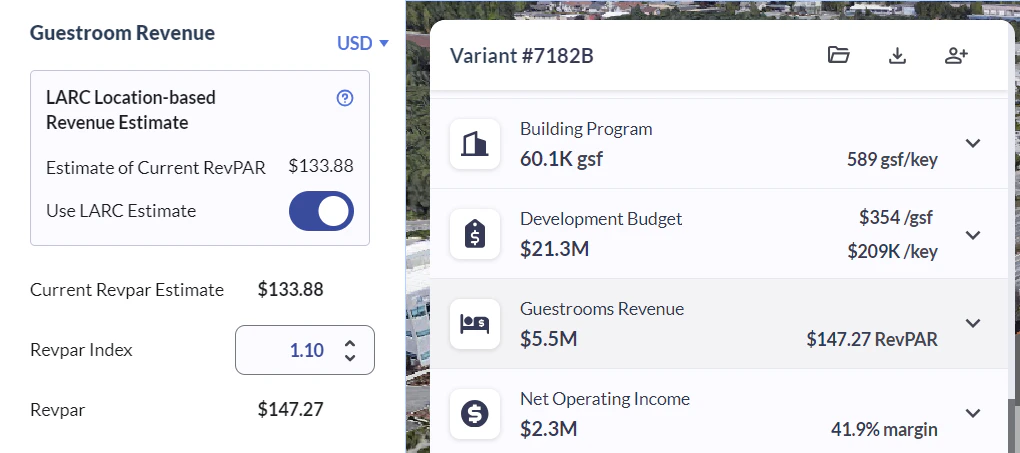
LARC GIS is a hotel-industry geographic information system from Lodging Analytics Research & Consulting that tracks lodging market conditions, supply, and revenue forecasts. Toggle **Use LARC Estimate** in the project dashboard to incorporate LARC's location-based RevPAR estimate into the investment model, and apply an index to adjust the estimate.
## LARC GIS, RaaP for Hyatt Studios, and viewer improvements
Location-based RevPAR estimates from LARC GIS land in the project dashboard, RaaP construction cost estimates extend to Hyatt Studios, and the viewer expands.
### LARC GIS RevPAR estimates (beta pilot)
LARC GIS is a hotel-industry geographic information system from Lodging Analytics Research & Consulting that tracks lodging market conditions, supply, and revenue forecasts. Toggle **Use LARC Estimate** in the project dashboard to incorporate LARC's location-based RevPAR estimate into the investment model, and apply an index to adjust the estimate.
 ### RaaP construction cost estimates for Hyatt Studios
Hyatt Studios is the latest brand with [RaaP](https://www.raap.builders/parafin) construction cost estimates available in Parafin. RaaP estimates are tuned to brand-specific materials and finishes and break out costs in CSI MasterFormat® divisions. Previously available for Home2 Suites only.
### RaaP construction cost estimates for Hyatt Studios
Hyatt Studios is the latest brand with [RaaP](https://www.raap.builders/parafin) construction cost estimates available in Parafin. RaaP estimates are tuned to brand-specific materials and finishes and break out costs in CSI MasterFormat® divisions. Previously available for Home2 Suites only.
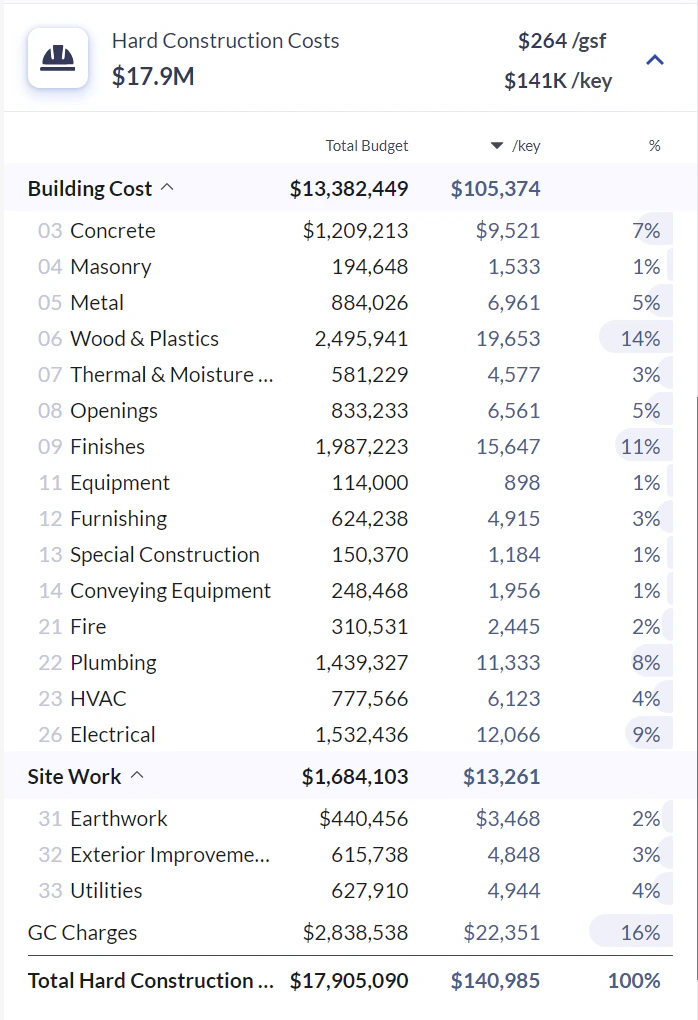 Toggle **RaaP Cost Estimate** on a Hyatt Studios project to switch from $/gsf or $/key estimates to detailed RaaP cost estimates. Pilot access is invite-only.
### Expanded viewer
The viewer expands to use as much screen space as possible. Collapse the variant details window using the tab to expand even further.
Toggle **RaaP Cost Estimate** on a Hyatt Studios project to switch from $/gsf or $/key estimates to detailed RaaP cost estimates. Pilot access is invite-only.
### Expanded viewer
The viewer expands to use as much screen space as possible. Collapse the variant details window using the tab to expand even further.
 ### Improved viewer interaction
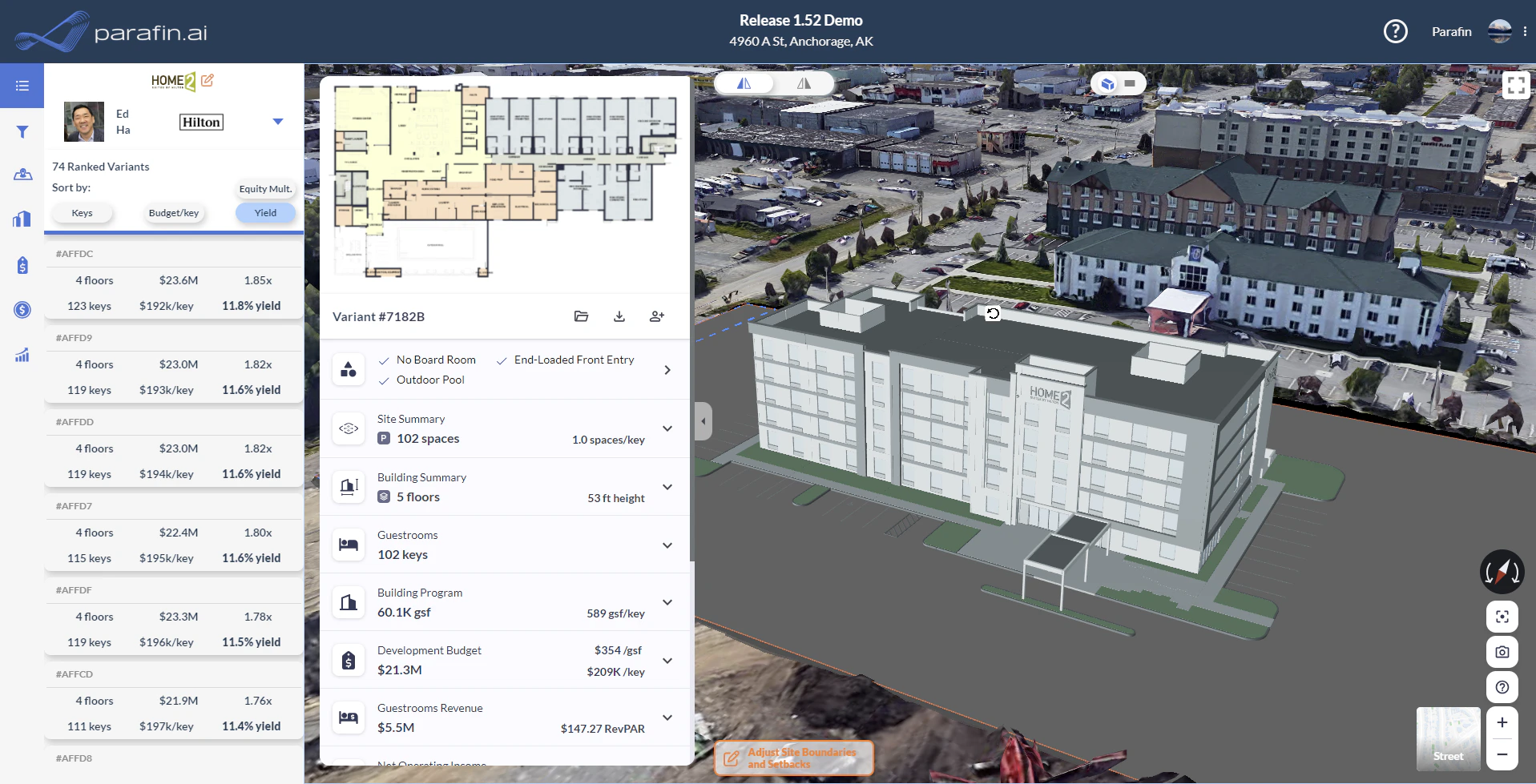
New controls for camera angle and zoom:
* **Recenter** the view on the building
* **Snapshot** tool to capture the current view for download or PDF inclusion
* **Info button** that lists keyboard and mouse controls
* **Map style toggle** between satellite imagery and a minimalist map view
### Improved viewer interaction
New controls for camera angle and zoom:
* **Recenter** the view on the building
* **Snapshot** tool to capture the current view for download or PDF inclusion
* **Info button** that lists keyboard and mouse controls
* **Map style toggle** between satellite imagery and a minimalist map view
 ### Dedicated export window
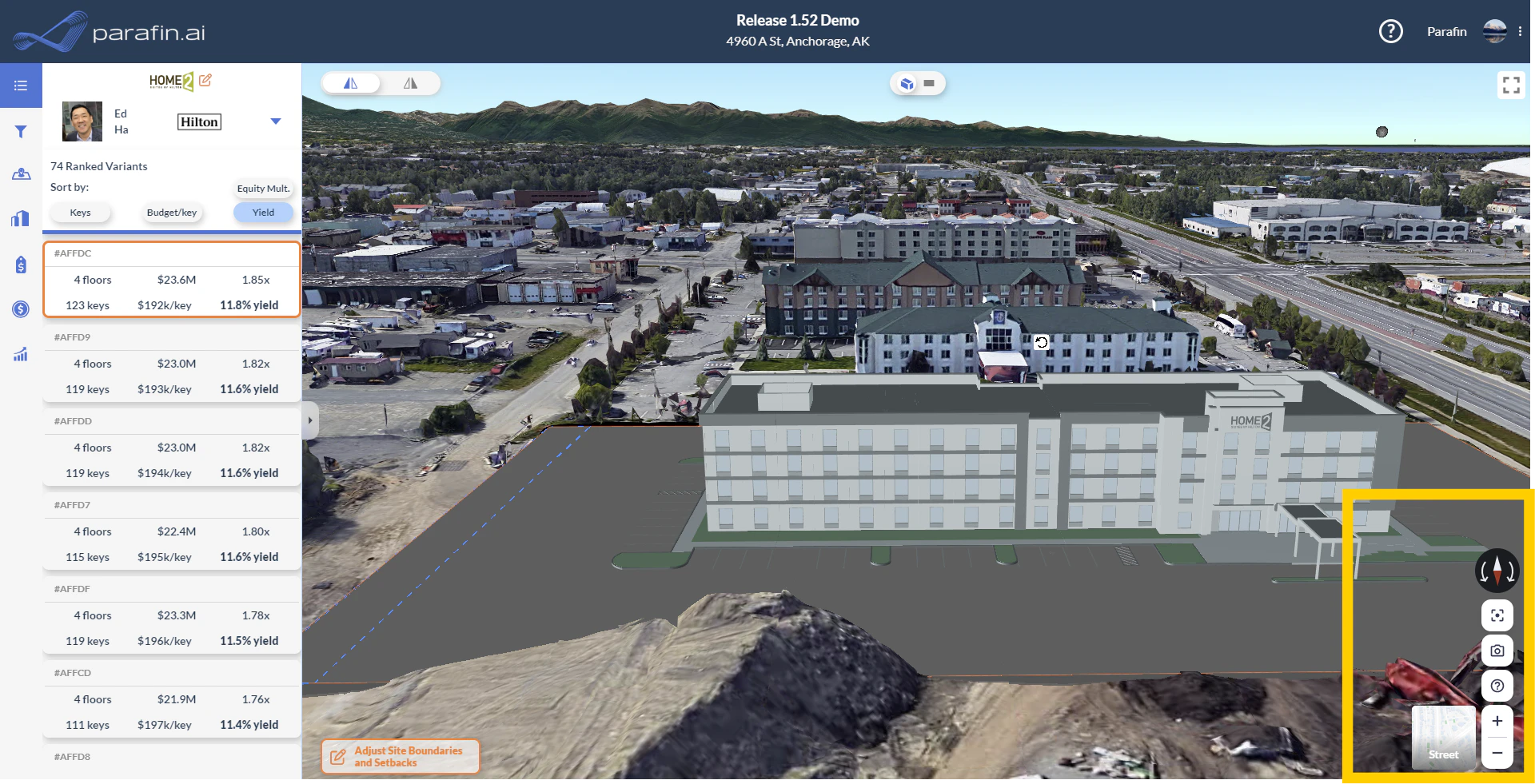
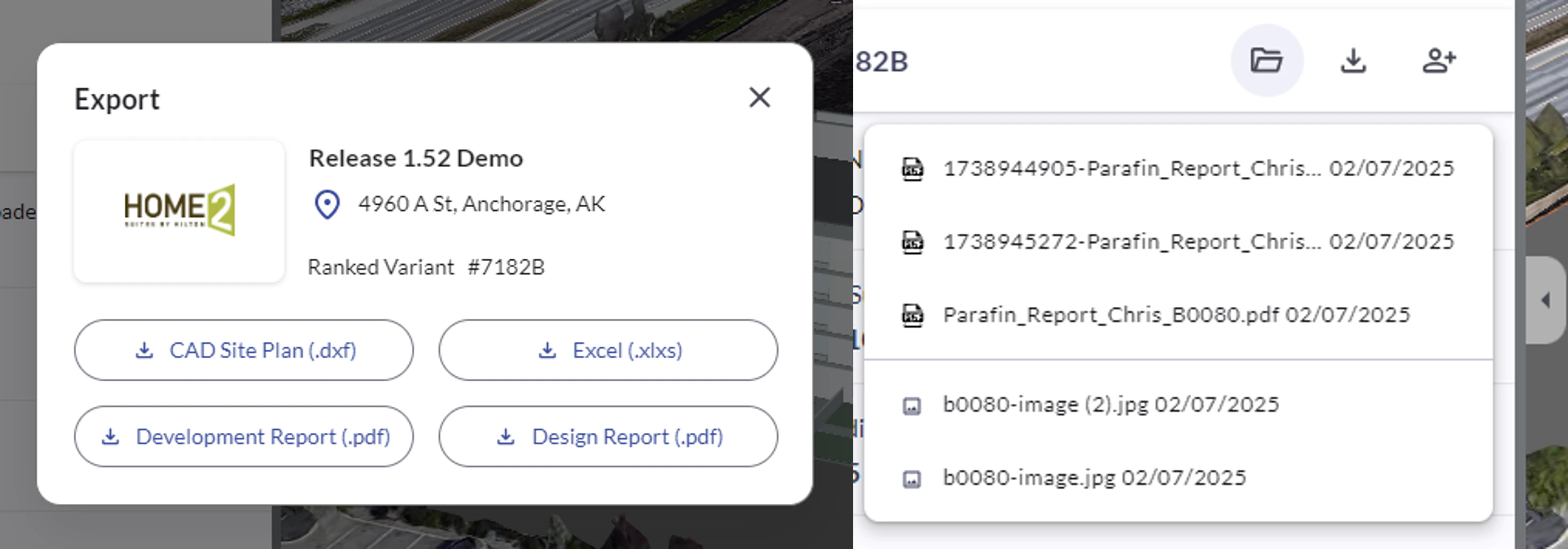
Clicking the download button in the Variants window now opens a dedicated export window with four export options. Past exports remain accessible from the folder icon.
### Dedicated export window
Clicking the download button in the Variants window now opens a dedicated export window with four export options. Past exports remain accessible from the folder icon.
 ## Photorealistic 3D, snapshots, and UI improvements
Photorealistic 3D satellite views replace the flat 2D map, aerial view snapshots become first-class artifacts, and the project dashboard gets dynamic tables, separated floorplans, and richer program-options filters.
### Photorealistic 3D satellite views
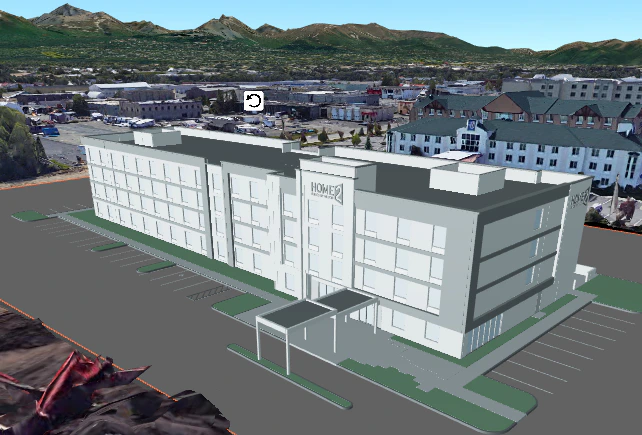
Parafin now uses Google's photorealistic 3D tiles for the satellite view, showing surrounding buildings and landscapes in lifelike context.
## Photorealistic 3D, snapshots, and UI improvements
Photorealistic 3D satellite views replace the flat 2D map, aerial view snapshots become first-class artifacts, and the project dashboard gets dynamic tables, separated floorplans, and richer program-options filters.
### Photorealistic 3D satellite views
Parafin now uses Google's photorealistic 3D tiles for the satellite view, showing surrounding buildings and landscapes in lifelike context.
 ### Aerial view snapshots
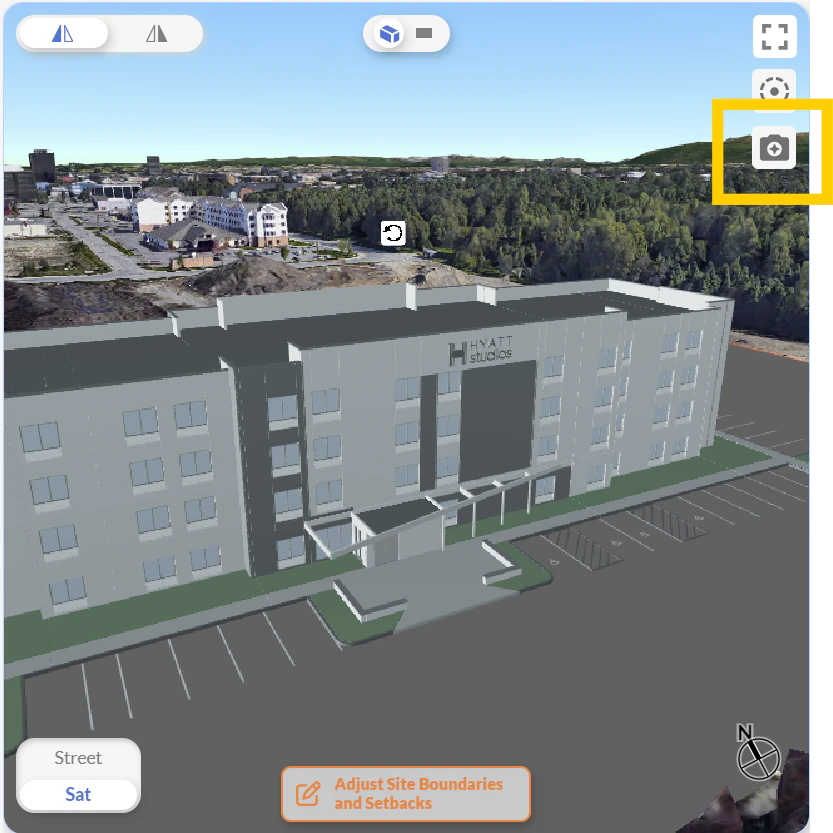
Click to capture a snapshot of the current viewport. Snapshots save automatically and are accessible from the folder icon. Snapshots are also included in the development and design reports for the corresponding design option.
### Aerial view snapshots
Click to capture a snapshot of the current viewport. Snapshots save automatically and are accessible from the folder icon. Snapshots are also included in the development and design reports for the corresponding design option.
 ### Floorplans
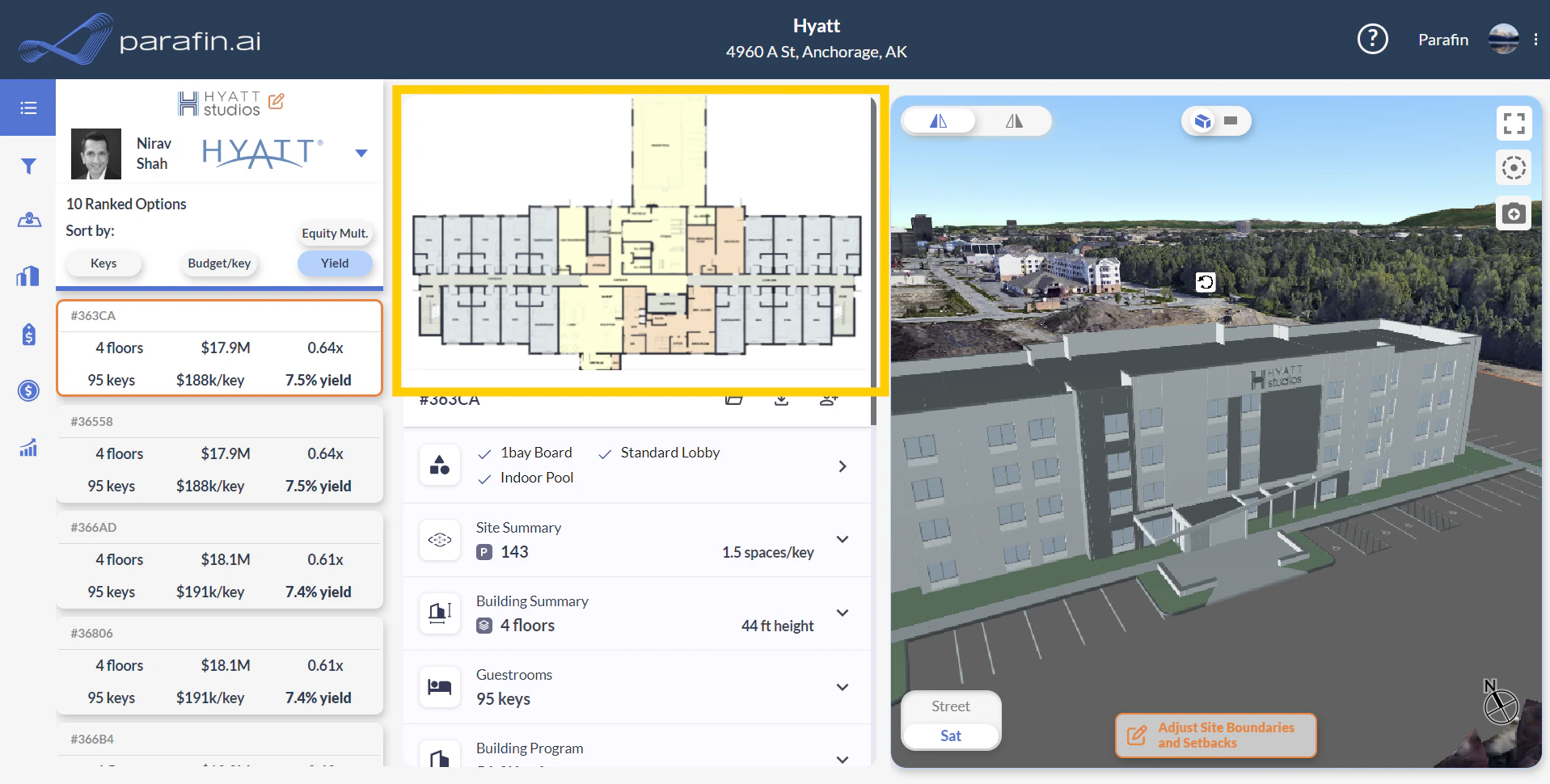
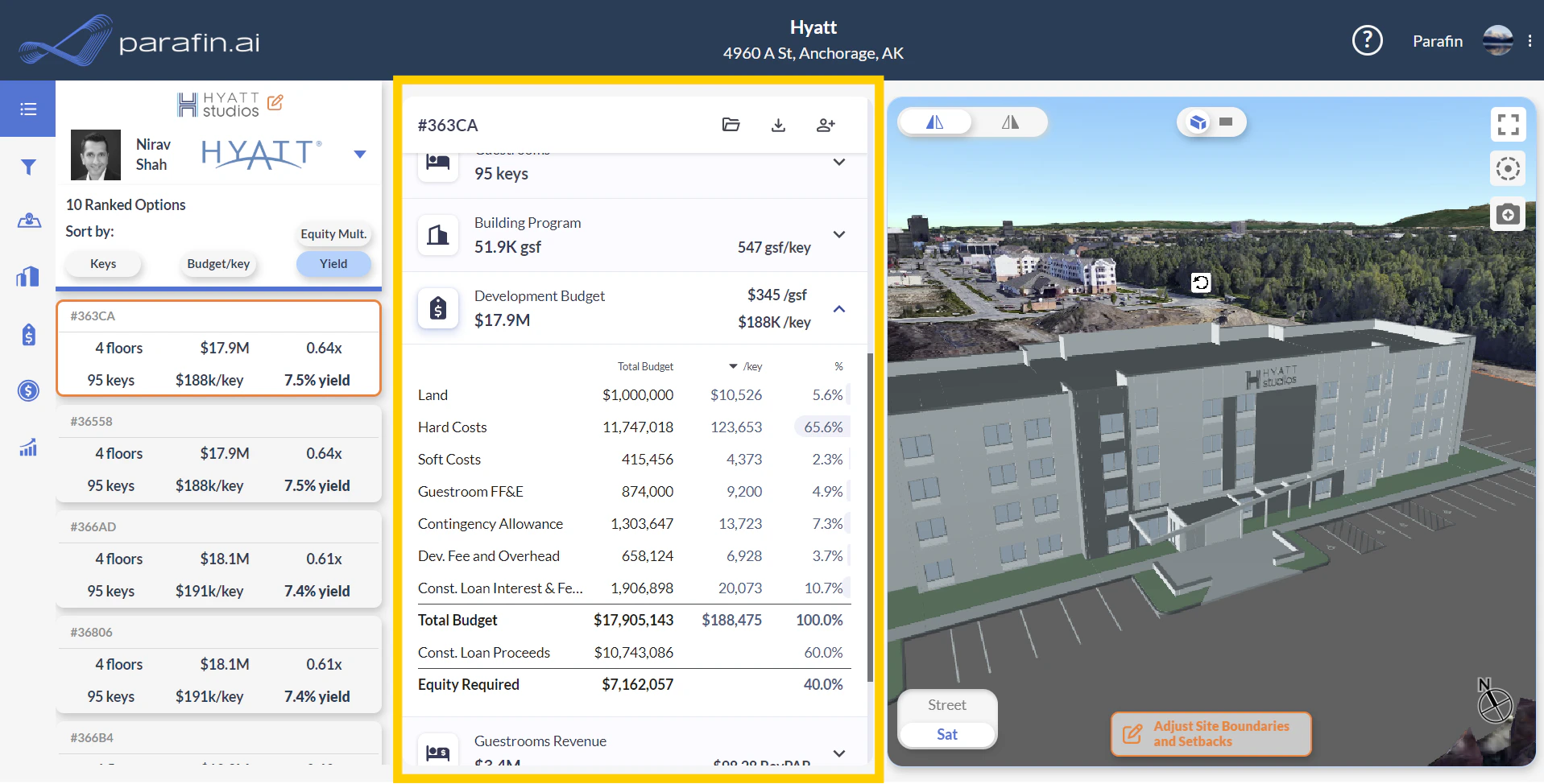
Floorplan previews are now separated from the main viewer and live at the top of the middle panel. Click a floorplan preview to expand it to fullscreen.
### Floorplans
Floorplan previews are now separated from the main viewer and live at the top of the middle panel. Click a floorplan preview to expand it to fullscreen.
 ### Tables
The middle-panel tables are now scoped to the currently selected design option. Collapsed tables show a clean high-level overview; expand any section for granular detail.
### Tables
The middle-panel tables are now scoped to the currently selected design option. Collapsed tables show a clean high-level overview; expand any section for granular detail.
 ### Helpful diagrams
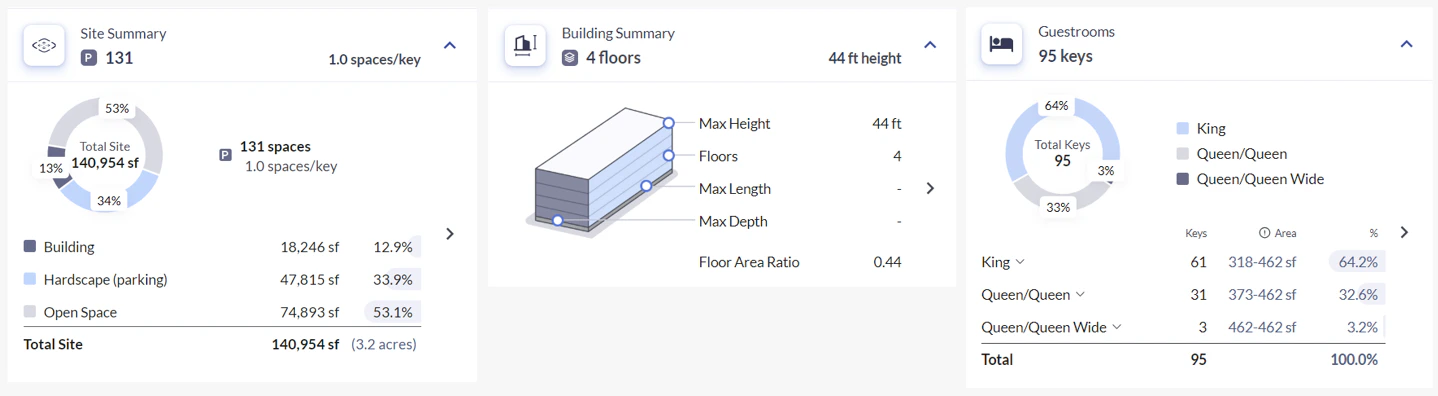
New diagrams visualize Site Summary, Building Summary, and Guestrooms data alongside the existing tables.
### Helpful diagrams
New diagrams visualize Site Summary, Building Summary, and Guestrooms data alongside the existing tables.
 ### Program options information and filters
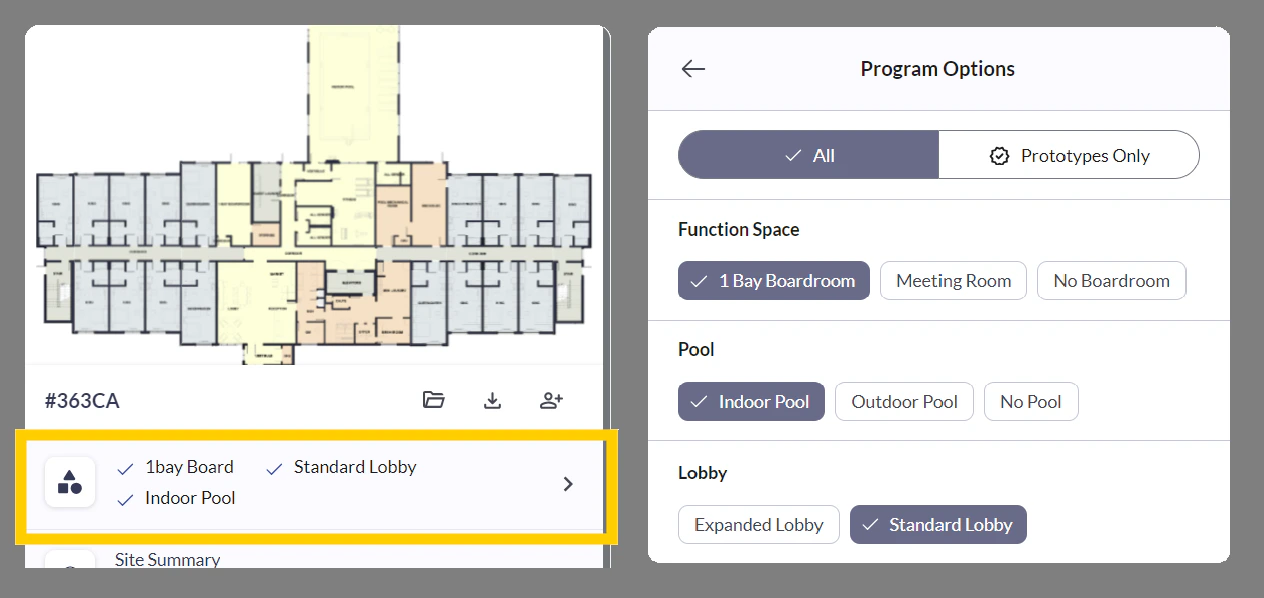
A summary of non-guestroom program details — meeting room options, pool configurations, building entrance layouts — sits prominently in the dashboard. Click to refine the configuration; the ranked variant results filter to match.
### Program options information and filters
A summary of non-guestroom program details — meeting room options, pool configurations, building entrance layouts — sits prominently in the dashboard. Click to refine the configuration; the ranked variant results filter to match.
 ### RaaP construction cost estimates (invite-only pilot)
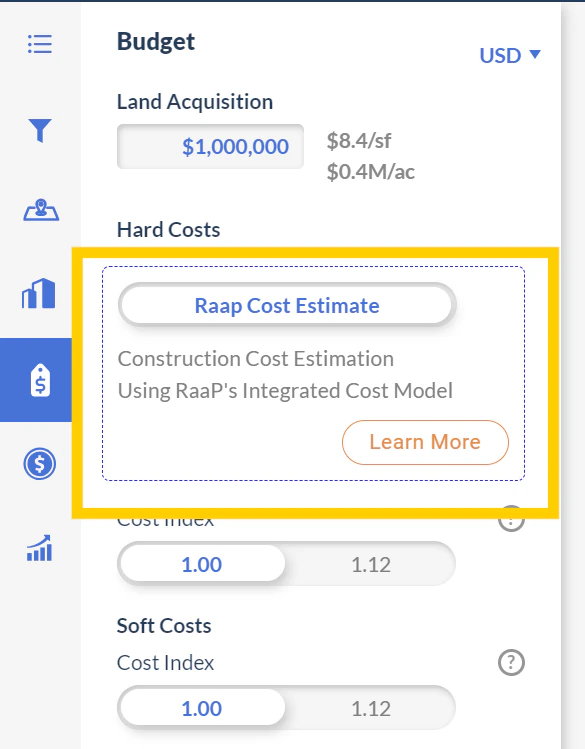
In partnership with [RaaP](https://www.raap.builders/parafin), construction cost estimation is available for select projects. The pilot launches with Hilton's Home2 Suites brand. Estimates use CSI MasterFormat® cost breakdowns for transparency into the underlying numbers.
Toggle **RaaP Cost Estimate** on a Home2 Suites project to switch from $/gsf or $/key estimates to detailed RaaP cost estimates. Pilot access is invite-only.
### RaaP construction cost estimates (invite-only pilot)
In partnership with [RaaP](https://www.raap.builders/parafin), construction cost estimation is available for select projects. The pilot launches with Hilton's Home2 Suites brand. Estimates use CSI MasterFormat® cost breakdowns for transparency into the underlying numbers.
Toggle **RaaP Cost Estimate** on a Home2 Suites project to switch from $/gsf or $/key estimates to detailed RaaP cost estimates. Pilot access is invite-only.
 ## 3D satellite preview, aerial snapshots, RaaP pilot
1.44 introduced a 3D satellite view (beta), aerial view snapshots, improvements to the team invite process, and the start of the RaaP construction cost estimation pilot. The fully-fledged versions of these features are documented in 1.49.
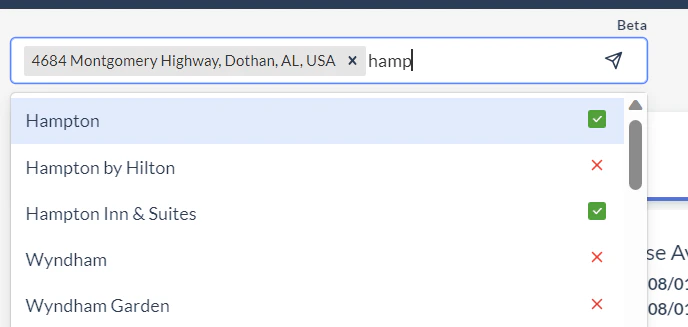
## Instant Launch (beta)
Start typing a brand and a location and a new project launches from the prompt. Instant Launch is in beta — feedback wanted.
## 3D satellite preview, aerial snapshots, RaaP pilot
1.44 introduced a 3D satellite view (beta), aerial view snapshots, improvements to the team invite process, and the start of the RaaP construction cost estimation pilot. The fully-fledged versions of these features are documented in 1.49.
## Instant Launch (beta)
Start typing a brand and a location and a new project launches from the prompt. Instant Launch is in beta — feedback wanted.
 ## App migration to parafin.ai and UI refresh
The Parafin app has moved from `app.parafin3d.com` to `app.parafin.ai`. Existing bookmarks redirect automatically.
### UI refresh
* Revised color scheme aligned to the Parafin brand
* Visual cleanup of tables, toggles, and panels
* Improved site geometry simplification when creating and editing site boundaries
* Better wording, formatting, and deliverability for system emails from `no-reply@parafin.ai`
* Usability tweaks for the project budget filter
## App migration to parafin.ai and UI refresh
The Parafin app has moved from `app.parafin3d.com` to `app.parafin.ai`. Existing bookmarks redirect automatically.
### UI refresh
* Revised color scheme aligned to the Parafin brand
* Visual cleanup of tables, toggles, and panels
* Improved site geometry simplification when creating and editing site boundaries
* Better wording, formatting, and deliverability for system emails from `no-reply@parafin.ai`
* Usability tweaks for the project budget filter
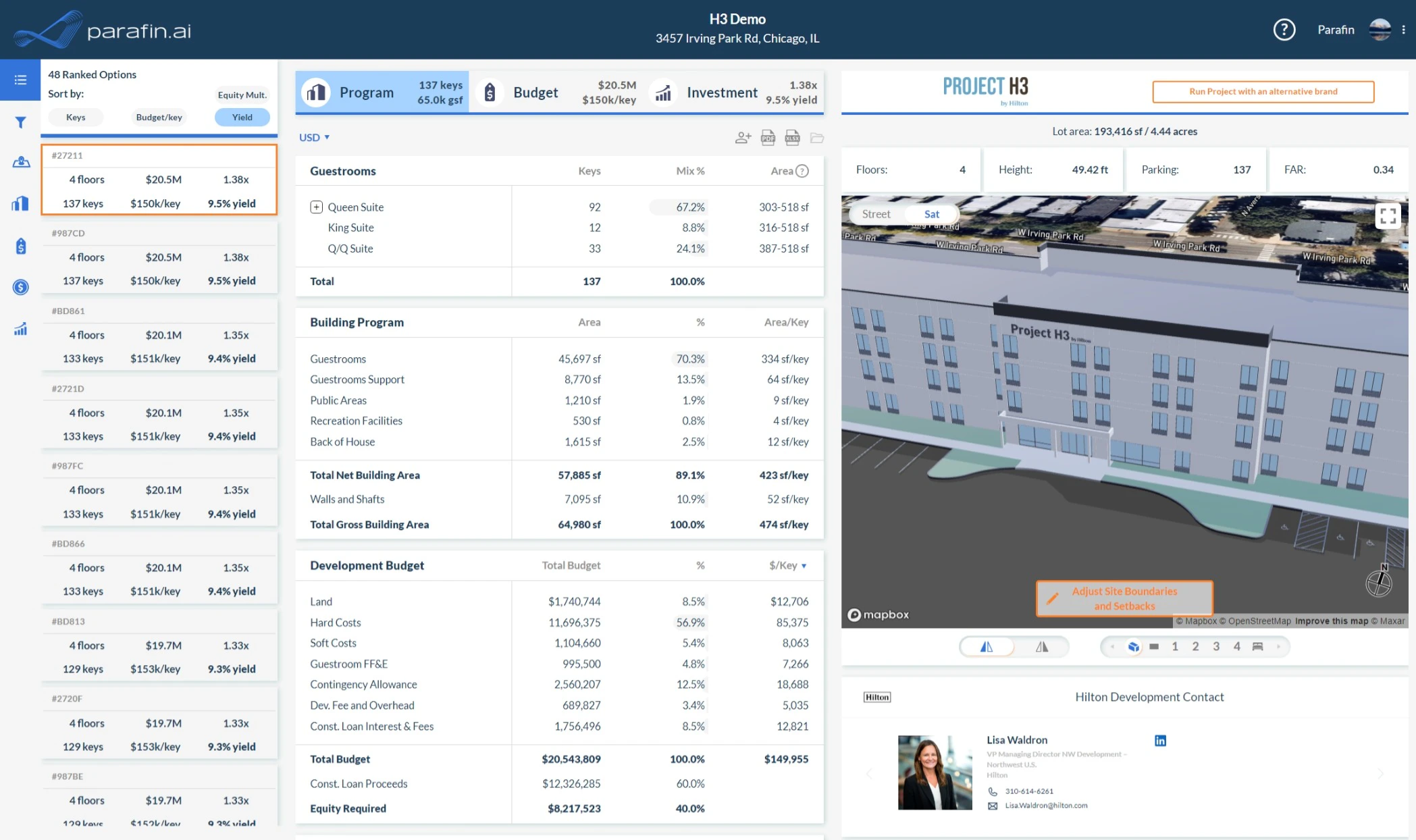 ## Site geometry editing improvements
* **Cleaner geometry** when editing selected parcels
* **Real-time length measurement** while drawing and editing site geometry
* **Multi-select** for budget lines that factor into Developer Overhead & Fee and Contingency Allowance
* Filter projects by **project budget**
* **Cloned-from icon** in the project list — hover to see the source brand
* More informative emails for account and password updates
## Site geometry editing improvements
* **Cleaner geometry** when editing selected parcels
* **Real-time length measurement** while drawing and editing site geometry
* **Multi-select** for budget lines that factor into Developer Overhead & Fee and Contingency Allowance
* Filter projects by **project budget**
* **Cloned-from icon** in the project list — hover to see the source brand
* More informative emails for account and password updates
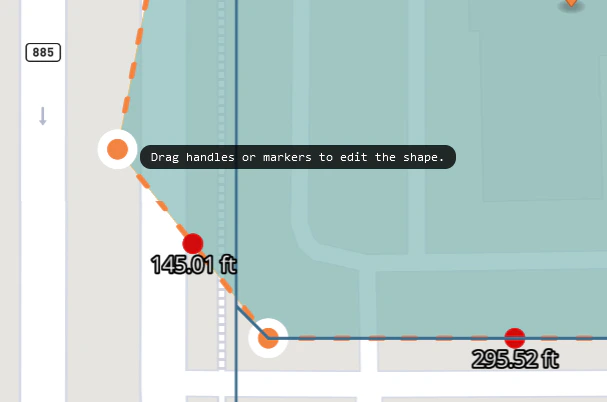 ## Site drawing tool improvements
* **On-screen prompts** in the site drawing tool
* **Delete points** from a site shape
* Improved **open space filtering**
## Site drawing tool improvements
* **On-screen prompts** in the site drawing tool
* **Delete points** from a site shape
* Improved **open space filtering**